A dental chair order often changes between the first quotation and final shipment. A clinic may select another delivery arrangement, a distributor may request a different control panel, or the room drawing may reveal that an accessory needs to move. The risk is not the change itself. The risk is allowing sales notes, drawings, photographs and packing instructions to describe different configurations.
This guide gives clinic owners, distributors and procurement teams a practical way to control those changes. It uses a written baseline, a variation register and approval evidence so the ordered chair can be checked against one current record. It is general procurement guidance; exact specifications and installation requirements must be confirmed for the selected model and destination.
Freeze the approved baseline before accepting changes
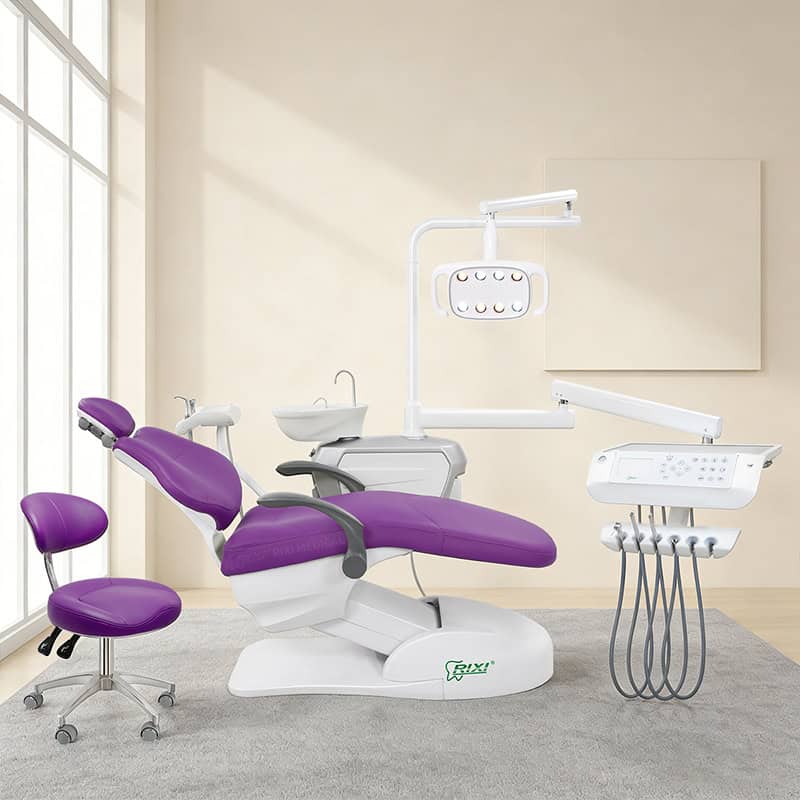
Start with a baseline that identifies the exact model, configuration and document revisions accepted by the buyer. A model name alone is not enough. For example, RIXI Medical lists the R3 floor-mounted dental chair separately from the R3 hanging-delivery dental chair. Their delivery arrangements should not be treated as interchangeable descriptions of the same order.
The baseline should record the quotation number and revision, model name, delivery arrangement, upholstery choice, visible control configuration, operating light, assistant-side components, foot control, included accessories, utility drawing, input requirements, packing scope and any buyer-supplied items. Attach the approved product images or drawings by filename and date. If the order supports several rooms, give every room or unit a unique reference.

A larger clinic group can connect this record to the dental chair fleet standardization guide. Fleet standardization defines the preferred configuration across sites. The change register in this article controls a specific departure from an approved order.
Give every variation its own traceable line
Do not bury a change inside a long email thread or replace the original quotation without explaining what moved. Assign each requested variation a reference number and keep the baseline visible. A concise register can contain the following fields:
| Field | What to record | Evidence before approval |
|---|---|---|
| Variation ID | Unique number, request date and requesting party | Dated request linked to the order |
| Affected item | Model, unit or room reference and component | Current baseline line or drawing callout |
| Requested change | Existing selection and proposed replacement | Revised specification, image or drawing |
| Dependencies | Utilities, mounting, software, packing or other affected items | Supplier review of connected documents |
| Commercial effect | Quotation line, quantity and agreed impact | Revised itemized quotation |
| Schedule effect | Required approval date and revised milestone, if any | Written production or dispatch confirmation |
| Decision | Approved, rejected, superseded or pending | Name, date and final document revision |
Keep rejected and superseded variations in the register. Removing them can make an old attachment look current later. A clear status shows why a proposed option was not added to production.
Review the dependencies, not only the visible part
A requested component may affect other interfaces. Changing the delivery system can alter instrument routing, console position, service access or the room plan. Changing upholstery color may seem cosmetic, but the buyer should still confirm the exact sample or reference, affected quantities and whether replacement upholstery or matching stools are part of the scope. Adding a screen or accessory can affect brackets, cables, power and packing.
Ask the supplier to mark every affected document. This may include the itemized quotation, configuration sheet, utility drawing, room layout, installation drawing, wiring or connection information, accessory list, packing list, label artwork and user-document package. A change is incomplete when only the sales description has been updated.
Require evidence for substitutions
A substitution should identify the original item, proposed item and reason for the change. The supplier should explain the visible and functional differences that matter to procurement, along with any effect on mounting, utilities, service access, documentation and included accessories. Photographs can help, but they should be tied to the proposed model or component. The dental chair product photo review guide explains how to connect images to a controlled shot list instead of treating a catalog image as proof of the complete supply scope.
For a physical sample, record the sample identity and exceptions using the dental chair supplier sample evaluation checklist. Approval of one visible part should not be interpreted as approval of every unlisted component.
Use a defined approval sequence
Assign roles before production. The requester describes the need. A technical reviewer checks interfaces and documents. Procurement confirms the revised commercial scope. The authorized buyer accepts or rejects the variation. The supplier then issues the final controlled documents. For multi-unit orders, state whether the change applies to one unit, one shipment or every remaining unit.
Set an approval cutoff. A request received after the cutoff should be assessed for production, packing and dispatch effects before anyone promises acceptance. If a decision is made during a call, place the result in the written register and attach the revised evidence. Avoid approvals such as “same as discussed” that do not identify a document revision.
Reissue a clean final order package
When variations are closed, issue a final package rather than asking the receiving team to reconstruct the order from messages. It should contain the approved quotation, configuration record, drawings, variation register, current images, packing scope and handover documents. Mark superseded files clearly and keep their history outside the active receiving set.
Digital files and access details also need version control. The dental equipment data handover checklist provides a broader structure for installers, software versions, accounts and export information when those items are part of the equipment package.
Check the closed register at receiving and commissioning
Receiving staff should compare labels, visible configuration, carton references and included accessories with the final package. Record exceptions before distributing components across rooms. During installation, verify the unit or room reference, utilities, selected components and open issues. For several operatories, use the multi-operatory dental chair commissioning guide to maintain room-specific acceptance records.
A closed variation is not automatically proof that the delivered item matches. Final acceptance still needs physical identification and documented checks. Retain photographs of the received configuration, serial-linked records where available, and the signed exception closure.
Scope note: This article addresses purchasing records and supplier handover. It does not define clinical, electrical or building requirements. Confirm the current specification, final installation drawing and instructions for the exact ordered unit with the supplier and qualified local professionals.
Frequently asked questions
When should a dental chair variation register be opened?
Open it as soon as a requested choice differs from the approved quotation, configuration sheet, drawing or sample. Early recording prevents informal requests from entering production without a complete review.
Can an updated quotation replace the change register?
The quotation records the current commercial scope, but it may not explain what changed, why it changed or which drawings and accessories were affected. Keep both documents linked.
How should a buyer approve a component substitution?
Identify the original and proposed components, review interface and document effects, obtain a revised itemized scope, and record the authorized decision with the final evidence revision.
What should happen when a change affects only one chair?
Give that unit a unique reference and mark the variation, drawings, packing and receiving records with the same identity. Do not apply the change to the rest of the order unless the approval explicitly says so.
RIXI Medical is a dental equipment manufacturer and supplier in Foshan, China. Buyers can request the current chair specification, configuration sheet and itemized quotation for a defined clinic or distributor order.
Need Dental Equipment Pricing or Configuration Details?
Contact RIXI Medical for model comparison, distributor pricing, packaging information, OEM/ODM requirements and after-sales support.
Request Product Information