A supplier sample should answer a practical question: can the proposed dental chair be configured, installed, serviced and documented consistently for the buyer’s project? This guide gives clinic owners, distributors and procurement teams a structured way to evaluate one sample before discussing a larger order.

Freeze the proposed configuration in writing, inspect the sample against that record, test every movement and accessory, document utilities and service access, and keep an exception log before approving production.
Why a sample evaluation is different from a supplier comparison
A company profile, catalog and quotation can help create a shortlist, but they do not prove that a specific configuration is ready for a clinic or distributor program. A sample evaluation focuses on the physical unit and its accompanying records. It should confirm what is included, what must be supplied locally, how the chair interfaces with the room and how a technician will reach service points.
This page is intentionally narrower than a general sourcing guide. It does not rank manufacturers or claim that one construction method is universally superior. Instead, it provides a repeatable acceptance process that can be applied to any proposed model. Buyers who are still building a shortlist can first review the RIXI dental chair range and then use this checklist for the selected sample.
1. Freeze the sample configuration before inspection
Ask the supplier to issue a configuration sheet linked to the quotation or purchase order. It should identify the model, upholstery color, delivery system, operating light, assistant controls, suction arrangement, cuspidor, foot control, chair movement system, voltage and any optional accessories. Record the document revision and date. If a brochure shows several variants, mark the exact variant being evaluated.
For a distributor program, add packaging language, labeling, spare-parts pack, manuals and branding requirements. Treat any unlisted substitution as an exception that needs written acceptance. The aim is not to create paperwork for its own sake; it is to prevent the approved sample and the production units from becoming two different products.
| Control point | Evidence to request | Sample check |
|---|---|---|
| Identity | Model and configuration sheet | Match labels, controls and included modules |
| Utilities | Electrical, air, water and drainage requirements | Compare connections with the planned room |
| Accessories | Itemized inclusion list | Count and identify each supplied item |
| Documentation | Installation, operation and maintenance documents | Confirm language, revision and model match |
| Service | Parts list and service-access information | Locate routine access points and replaceable items |
2. Inspect structure, finish and patient-contact surfaces
Start with a visual and tactile inspection under good lighting. Look for uneven gaps, sharp edges, loose trim, damaged upholstery, incomplete fasteners and finishes that make routine cleaning difficult. Compare visible materials with the supplier’s written specification. The detailed dental chair materials checklist can help teams prepare questions about frames, upholstery, tubing and moving assemblies.
Do not infer internal construction from appearance alone. If frame or base construction matters to the project, request drawings, material declarations or photographs of the relevant assembly. For OEM discussions, the cast aluminum dental chair base guide explains the engineering questions worth documenting without assuming that every model uses the same base design.
3. Run a functional test in a fixed sequence
Use one written sequence for every sample so results can be compared. Operate the chair through its available range, checking for smooth starts and stops, unexpected movement, interference between components and control labels that are difficult to understand. Test the backrest, seat, headrest, armrests, foot control, operating light and delivery arms according to the supplied instructions.
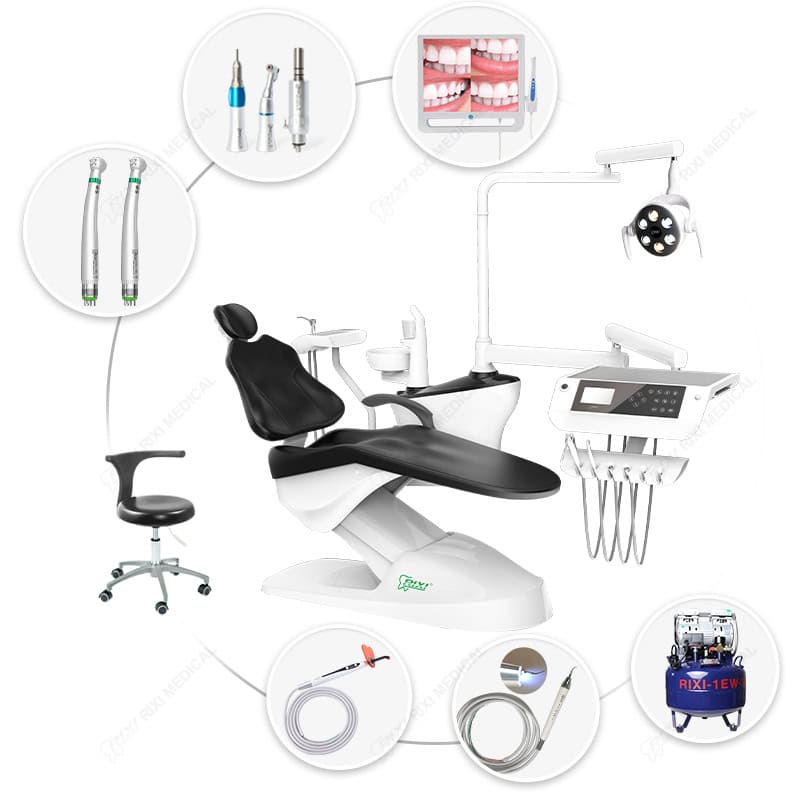
Next, inspect the dentist and assistant sides. Confirm the ordered handpiece positions, syringe arrangement, suction holders, tray movement and hose routing. Check whether instruments return securely and whether arms hold position without obstructing entry, exit or assistant access. Where the proposed model includes a cuspidor or water functions, verify their operation using the manufacturer’s documented setup rather than an improvised connection.
Record observations as pass, exception or not applicable. Video can be useful for documenting a fault or movement sequence, but it should supplement—not replace—the written acceptance record.
4. Verify installation interfaces before approval
A chair can function correctly in a demonstration area yet still be unsuitable for the intended operatory. Give the supplier the proposed room drawing and confirm service clearances, door and corridor access, floor conditions, anchoring approach where applicable, and the location of air, water, drainage and electrical connections. The dental chair installation guide provides a broader delivery-to-handover sequence for project teams.
Model-specific utility values must come from the current technical documents for the quoted unit. They should not be copied from another chair or assumed from a similar photograph. Ask who is responsible for utilities, final connections, commissioning and any locally required electrical or plumbing work. If the unit uses a hydraulic lift, also review the hydraulic system service-access checklist when planning technician clearance.
5. Evaluate service access and maintainability
Ask a technician to locate filters, valves, fuses, covers, tubing connections and other routine service points identified in the documentation. Confirm that covers can be removed without damaging finishes and that common maintenance tasks do not require moving unrelated equipment. The evaluation should note tool requirements, access constraints and parts that are likely to be stocked locally.
Request a model-linked parts reference rather than a generic spare-parts promise. For distributors, define how serial or batch information will be recorded, how changes will be communicated and how a replacement part will be matched to the installed configuration. Do not assume warranty scope, response time or parts availability; put the agreed service terms in the commercial documents.
6. Review the document pack as part of the product
- Configuration sheet with revision date and approved options
- Installation and utility requirements for the exact model
- Operating and routine maintenance instructions
- Packing list and accessory identification
- Parts or service reference appropriate to the agreement
- Inspection record with exceptions and corrective actions
Documents should use consistent model names and show which instructions are general and which are configuration-specific. If the buyer requires particular declarations or market documents, list them in the request and verify their scope directly. This guide does not confirm regulatory suitability for a destination; the buyer and supplier should establish the applicable requirements for the actual transaction.
7. Close the sample with an exception log
At the end of the inspection, avoid a vague “approved” or “not approved” decision. Create an exception log with the observation, affected component, required correction, owner, target evidence and closure status. Photographs should be labeled so they can be connected to the correct item. If a correction changes the configuration, issue a revised configuration sheet before production.
For multi-unit projects, convert the accepted checks into a pre-shipment inspection form. Keep critical configuration points separate from cosmetic preferences, and identify which checks must be repeated on every unit versus a production sample. Buyers can review RIXI’s company information for organizational context and the buyer FAQ for general process questions, then request the documents needed for their specific project.
Frequently asked questions
Should a clinic test one sample before ordering several chairs?
A sample can reduce configuration and installation uncertainty, especially when the project has specific room, workflow or accessory requirements. The commercial decision still depends on order size, lead time and the agreed inspection process.
Can a showroom unit serve as the approval sample?
Only if its model, options, utilities and documentation match the proposed order. Any differences should be recorded and resolved in the configuration sheet.
What should distributors add to the clinic checklist?
Distributors should also review packaging, labels, manual language, spare-parts identification, serial or batch traceability, branding controls and change-notification responsibilities.
Does a passed sample guarantee every production unit?
No. The approved sample establishes a reference. Production still needs defined quality controls, pre-shipment inspection and a process for documenting deviations.
This procurement guidance is written for dental equipment buyers and distributors. Always use the current model documents, destination requirements and qualified installation personnel for the actual project.
Prepare a model-specific sample review
Share the intended clinic layout, configuration and buyer requirements with RIXI Medical. Request the current model documents and use this checklist to record the sample decision.
Review a dental chair configurationNeed Dental Equipment Pricing or Configuration Details?
Contact RIXI Medical for model comparison, distributor pricing, packaging information, OEM/ODM requirements and after-sales support.
Request Product Information