Commissioning several dental chairs is a room-by-room acceptance task, not a single delivery event. Even when the same chair model appears on every purchase-order line, each operatory can have a different utility position, accessory set, delivery layout, wall clearance or service boundary. A clinic that signs one blanket acceptance form may miss a room assignment error until staff begin using the equipment.
This guide gives clinic owners, distributors, project managers and procurement teams a practical way to commission a multi-operatory dental chair project. It focuses on identity, configuration, documented checks and handover records. It does not replace the installation manual, model-specific drawings, local requirements or work by qualified installers. The approved documents for the exact equipment must govern every technical connection and test.
Separate project completion from room acceptance
A shipment can arrive complete while one treatment room is not ready for acceptance. Conversely, a room may be mechanically ready while its documentation or accessory list is incomplete. Use three levels of control:
- Project level: purchase order, approved configuration, room schedule, packing list and responsible contacts.
- Operatory level: chair serial or asset identity, room assignment, supplied modules, utility connection status and service clearance.
- Exception level: missing, damaged, substituted or unverified items with an owner, due date and disposition.
The project can then progress without hiding open issues. A chair may be physically installed but remain conditionally accepted until a named document or accessory is supplied. The record should show that condition clearly.
Build a room-specific commissioning matrix
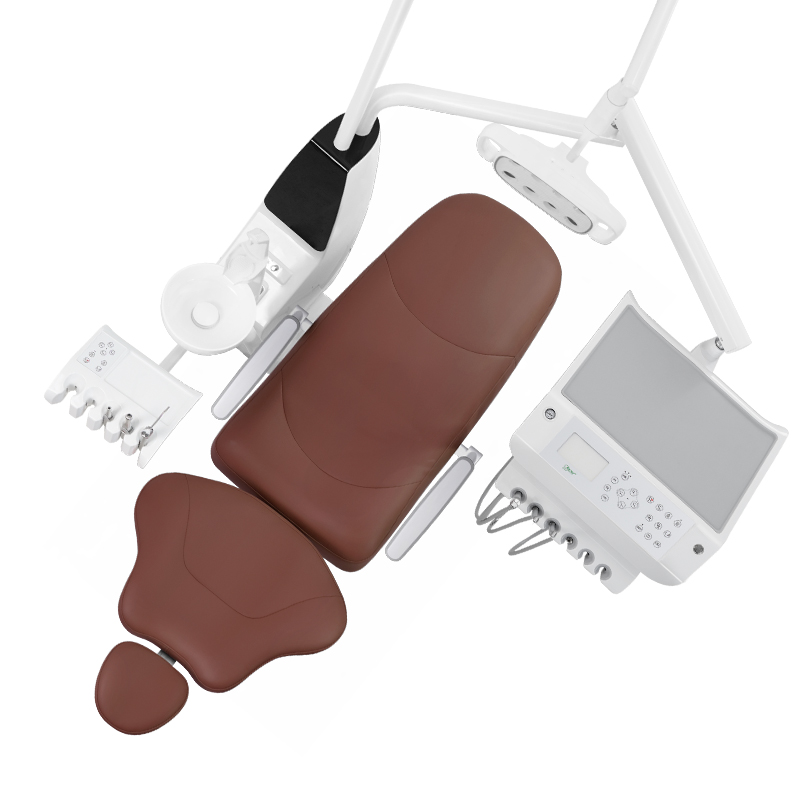
Create the matrix before delivery. Use the actual room numbers and the supplier’s exact model references rather than labels such as “standard chair.” If a project includes the R3 floor-mounted dental chair, record the ordered configuration and room assignment for each unit separately. Product photographs help identify visible assemblies, but the signed quotation and approved specification define what belongs in the order.
| Control field | Record for each operatory | Acceptance evidence |
|---|---|---|
| Unit identity | Model, order line, serial or asset number | Label photograph and receiving record |
| Room assignment | Operatory number and drawing revision | Approved room schedule |
| Configuration | Delivery arrangement, light, controls and listed accessories | Configuration sheet and item check |
| Utilities | Connection responsibility and completion status | Installer or qualified trade record |
| Exceptions | Missing, damaged, substituted or pending items | Numbered exception log |
| Handover | Documents, training scope and responsible recipient | Signed room acceptance record |
Freeze the approved configuration before matching rooms
Commissioning becomes unreliable when the site team works from a catalogue image while purchasing uses a later quotation. Place the final order line, accessory schedule and drawing revision in one controlled package. Mark superseded files so they cannot be used accidentally.
For every chair, compare the physical unit with the approved record. Check visible identity and supplied scope without assuming that two chairs with the same upholstery colour have the same internal or accessory configuration. If the clinic ordered different delivery arrangements or optional components for particular rooms, make those differences obvious in the matrix.
The dental chair product category can help teams locate current product references. The order-specific documents remain the authority for acceptance.
Accept each operatory through the same sequence
A repeatable sequence makes differences easier to find. Complete the following review for one room before closing its record, then apply the same structure to the next room.
1. Confirm identity and condition
Match the room, chair and accessory cartons to the receiving record. Photograph labels and visible condition before packaging is discarded. Record transit damage or missing packages in the project exception log rather than in an informal message thread.
2. Compare supplied assemblies with the room schedule
Use the approved list to identify the chair, delivery console, light, foot control, assistant-side components and separately packed accessories. Do not treat a photograph as proof that an item is included. Note every difference and require written disposition before substitution.
3. Confirm installation and service boundaries
The project team should know who is responsible for positioning, utilities, final connections, functional checks and future service access. The general dental chair installation guide explains the wider process from site readiness to handover. Use the exact manufacturer documents and qualified trades for model-specific work.
4. Record functional checks without inventing a universal test
The current manual and commissioning procedure should define which movements, controls, safety functions and connected accessories need checking. Record the result, checker, date and document revision. If a test cannot be completed because another system is unavailable, mark it pending instead of passing it by assumption.

Control differences across nominally identical rooms
Multi-room projects often reveal small differences: one room has a later drawing, one accessory carton is assigned to the wrong chair, or one utility point limits the intended equipment position. These are project exceptions, not reasons to rewrite the standard for every room.
Give each exception an identifier and one of three dispositions:
- Correct before acceptance: the room stays open until the issue is resolved and verified.
- Accept with an agreed condition: the responsible parties document the temporary limitation, action and due date.
- Approve a controlled change: the buyer authorizes a documented substitution or revised room arrangement.
A verbal agreement is difficult to carry into warranty, service or repeat purchasing records. Keep the approved disposition beside the room acceptance sheet.
Coordinate commissioning with the wider clinic schedule
If chairs are being replaced while the clinic remains open, use the room sequence in the dental chair replacement phasing guide. If access is constrained, review the delivery route planning guide before dispatch. These controls solve different problems: phasing protects the operating schedule, route planning protects physical access, and commissioning confirms what was installed in each room.
Do not reopen an operatory solely because the chair has been placed in position. Require the agreed readiness gate: open technical issues assigned, required records received, room-specific checks completed, and the clinic’s responsible person briefed on the documented handover scope.
Retain a usable handover package
The final package should allow a future service technician or procurement manager to identify what was accepted without reconstructing the project from emails. Keep the room matrix, approved configuration, asset identity, exception closures, applicable manuals, supplier contacts and acceptance signatures together. Link each record to the correct operatory and equipment identity.
Store photographs as supporting evidence with dates and captions. A photo is useful for showing condition or visible configuration; it cannot establish an internal specification, certification, compatibility or completed technical test unless the relevant document also supports that conclusion.
Multi-operatory acceptance checklist
- One controlled order and drawing package is available to the site team.
- Every chair and accessory group is assigned to a named operatory.
- Model and asset identity are recorded before packaging is removed.
- Supplied assemblies are checked against the room-specific configuration.
- Installation responsibilities and service access are documented.
- Functional checks follow the current model procedure.
- Every exception has an owner, disposition and closure evidence.
- Each operatory receives its own acceptance and handover record.
Frequently asked questions
Can one acceptance form cover several identical dental chairs?
A project summary can cover the overall order, but each chair should still have a room-specific identity, configuration, exception and handover record. That is how the clinic can trace later service questions to the correct unit.
Should all rooms be accepted on the same day?
Only if every room meets the agreed acceptance gate. A controlled project can close completed rooms while keeping another room open with a documented exception.
Does a matching product image prove the delivered configuration is correct?
No. Images help identify visible features. The approved quotation, configuration sheet, labels and model documents define the ordered scope.
What happens when an accessory is delivered to the wrong room?
Record the mismatch, confirm the correct assignment and update both room records. Do not simply move the item without preserving traceability.
Scope and next step
This is general procurement and project-control guidance. Exact installation, connection and commissioning requirements depend on the selected model, approved documents and local professional responsibilities. For current R3 documentation or a room-specific configuration review, use technical support or contact RIXI Medical with the model, room count and proposed configuration.
Need Dental Equipment Pricing or Configuration Details?
Contact RIXI Medical for model comparison, distributor pricing, packaging information, OEM/ODM requirements and after-sales support.
Request Product Information