A dental chair can fit the room yet still be incompatible with the equipment around it. A handpiece may need a different coupling, a monitor bracket may not support the intended display, or the compressor and suction system may have been selected before anyone confirmed the chair’s model-specific requirements. A dental operatory equipment compatibility review prevents these interface problems before the purchase order is approved.
This guide focuses on one treatment room and the equipment connected directly to it. It is deliberately different from a multi-room clinic integration plan: the goal here is to create a signed compatibility record for the chair, delivery system, instruments, light, display and utility connections in a single operatory.

Define the exact chair configuration first
Start with the quoted model and revision, not the product-family name. Request a configuration sheet showing the delivery style, instrument positions, assistant element, operating light, foot control, upholstery, optional monitor or camera mounts, and any selected accessories. The buyer should be able to match every billed item to a line in that document.
A catalog photograph is useful for orientation, but it is not a complete specification. Images often show optional items or more than one possible arrangement. For a model such as the R5 dental chair unit, ask the supplier to identify what is included in the proposed configuration and provide the current connection information before site work begins.
Build a compatibility matrix around interfaces
A useful matrix does not merely mark two items “compatible.” It records the interface being checked, the evidence used and who accepted the result. If the evidence is missing, leave the item open rather than relying on a verbal assumption.
| Equipment pair | Compatibility evidence to request | Common procurement risk |
|---|---|---|
| Delivery system and handpiece | Coupling type, tubing arrangement, drive method and stated operating requirements | Matching brand names assumed to guarantee connection |
| Chair and operating light | Mount type, load limits, arm reach, electrical connection and movement envelope | Light arm conflicts with cabinetry or ceiling features |
| Chair and monitor/camera | Bracket interface, supported dimensions, signal ports, power and cable route | Display fits the bracket but cabling or data format does not |
| Chair and utilities | Model-specific air, water, drainage, suction and electrical requirements | Generic room drawing used for a different chair revision |
| Chair and cabinetry | Plan view, movement envelope and service-panel locations | Drawers, walls or cabinetry block movement or maintenance |
Check handpiece and delivery-system connections
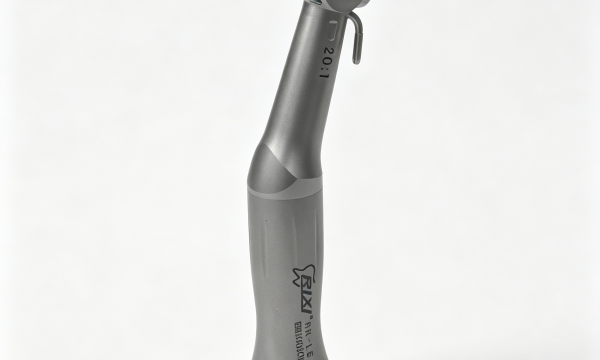
“High speed” or “low speed” is not enough information to approve a connection. Record the handpiece model, coupling or tubing interface, drive method, control method and any water, air or electrical requirements identified by the manufacturers. Confirm whether adapters are approved and whether using one changes maintenance or replacement procedures.
Buyers comparing instruments can use the high-speed handpiece comparison guide to organize questions. The chair supplier should confirm the delivery-system interface; the handpiece supplier should confirm the instrument requirements. Where those statements do not align, resolve the difference in writing before ordering.
Maintenance compatibility matters too. Ask which lubricants, cleaning steps, consumables and service tools apply to the exact handpiece. Do not assume that accessories supplied for one instrument are suitable for another.
Validate mounts, movement and cable routes
Operating lights, monitors, cameras and trays create mechanical loads and movement paths around the chair. Request the approved mounting method and maximum supported configuration for the exact chair. Check the full range of chair, headrest, light-arm and monitor-arm movement on the drawing. The review should include access for normal adjustments and future removal.
The dental chair accessory retrofit guide explains why apparently simple additions need an interface check. A bracket that physically attaches may still interfere with movement, overload a mounting point or leave no protected route for power and signal cables.
For cameras and displays, record the connector type, supported signal, computer requirements and who provides the cable. The dental camera buyer guide can help frame this decision, but the final approval must use the current specifications of the selected products.

Treat compressed air and suction as model-specific inputs
Shared support equipment cannot be approved from the chair count alone. Compile the stated demand of the chair and connected devices, then have the responsible supplier or qualified project professional size the system using an agreed concurrency assumption. Ask how pressure, flow, air quality and suction conditions are defined for the selected models.
For compressed air, the dental air compressor sizing guide sets out the information buyers should collect. For suction, use the treatment-room suction planning checklist. These are planning frameworks, not substitutes for model documents or local engineering approval.
Also record the location of isolation points, filters, drains where applicable and service access. A compatible utility connection must be maintainable without dismantling unrelated equipment or obstructing the treatment room.
Run a document review before shipment
The best time to find an interface mismatch is before production or shipment. Hold a short document review using the final order, room drawing and compatibility matrix. Each open item should have an owner and due date. Useful evidence includes:
- Approved chair configuration and accessory list.
- Plan and elevation drawings with movement envelopes.
- Utility connection information for the exact revision.
- Handpiece, light, monitor and camera interface records.
- Computer, software and network requirements where applicable.
- Installation boundaries and named responsible parties.
- Receiving, installation and functional-check procedures.
- Current manuals and service-access information.
RIXI Medical can answer product and interface questions from its position as a dental equipment manufacturer and supplier in Foshan, China. Contractors, local technical specialists and the buyer’s project team remain responsible for site design, local approvals and installation decisions.
Confirm compatibility again at handover
Documentation reduces risk, but it does not replace physical verification. At receiving, match model labels, quantities and accessories to the approved schedule. After installation, check connections, movement, clearances, cable management and service access. Record exceptions with photographs and model references rather than relying on an informal punch list.
Keep the signed matrix with the equipment file so future technicians can see which revision, adapter, mount and utility assumptions were approved. If a component changes later, review only the affected interfaces and record the new evidence.
Scope note: This article provides general procurement and compatibility guidance. It is not a model specification, clinical protocol, engineering design or regulatory opinion. Confirm exact values and interfaces with each supplier, and use locally qualified professionals for site utilities, installation and applicable compliance requirements.
Frequently asked questions
Does buying every component from one supplier guarantee compatibility?
No. A single supplier may simplify coordination, but the exact models, revisions, options and interfaces still need written confirmation.
What should happen when two suppliers give conflicting requirements?
Pause approval for that interface. Ask both suppliers to review the same model identifiers and drawings, then document the agreed solution and responsible party.
Can an adapter solve a handpiece or display mismatch?
Sometimes, but only when the relevant manufacturers approve the adapter and its operating, maintenance and load implications. Do not treat a physical fit as complete compatibility.
Should compatibility be checked again after installation?
Yes. Verify the installed models, connections, movement, utilities and service access against the approved matrix, then record any exception before handover.
To review a proposed operatory configuration, send the chair model, intended accessories and available room drawings through RIXI technical support or the contact page. Request written, model-specific interface information before approving the order.
Need Dental Equipment Pricing or Configuration Details?
Contact RIXI Medical for model comparison, distributor pricing, packaging information, OEM/ODM requirements and after-sales support.
Request Product Information