Adding an accessory to a dental chair is a small project with mechanical, electrical, plumbing, control and service consequences. A light, camera, scaler, monitor or delivery component may look suitable in a catalog but still require a different mounting post, power supply, water path, control board or cable route. This guide helps clinics, distributors and project teams verify retrofit compatibility before an order is placed.

Identify the chair before selecting an accessory
Begin with the chair model, serial or production identifier and current configuration. Photograph the mounting point, control panel, delivery assembly, relevant connectors and available service space. If the chair has been modified previously, record those changes instead of relying only on the original sales brochure.
Ask the chair supplier to confirm the applicable parts drawing or accessory list for that model revision. A marketing name can remain unchanged while brackets, wiring or control boards change. For an older chair, the practical question may be whether a conversion kit exists, not whether a current accessory carries the same brand.
Use a five-part compatibility review
| Compatibility area | What to confirm | Common purchasing risk |
|---|---|---|
| Mechanical | Mounting diameter, bracket geometry, load, range of movement and collision clearance | The accessory attaches but cannot be positioned or serviced safely. |
| Electrical | Input voltage, connector, power demand, grounding and power-supply compatibility | A matching plug is mistaken for an approved electrical interface. |
| Fluid and air | Pressure or flow requirements, tubing size, valves, drainage and isolation points | A scaler or rinse component is installed without the correct utility path. |
| Controls and data | Switch type, control-board support, software or driver needs and cable routing | The device powers on but cannot be controlled through the chair as expected. |
| Service and cleaning | Access panels, removable parts, approved cleaning method and replacement item codes | The retrofit blocks maintenance access or introduces unavailable parts. |
Do not approve the retrofit until each relevant area has written evidence. The evidence may be a drawing, model-specific accessory list, electrical diagram, installation instruction or supplier confirmation tied to the exact chair and accessory.
Operating lights: check more than brightness
A chair light needs a compatible mounting post or arm, adequate reach, collision clearance, the correct power interface and a control method that fits the chair workflow. If touchless activation, color modes or composite-related functions are proposed, request the current model documentation rather than relying on a generic feature label.
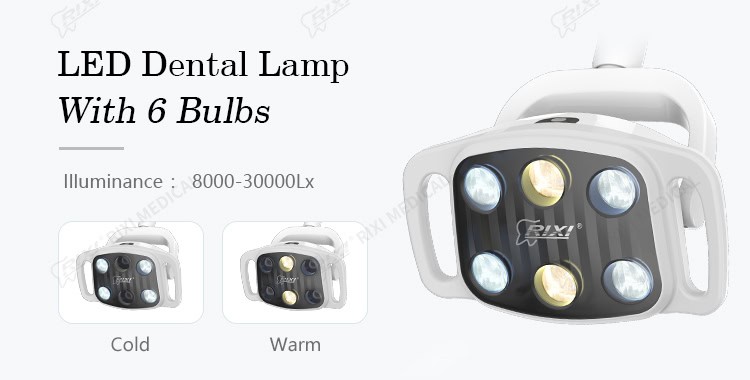
The detailed dental chair light compatibility checklist covers these checks in more depth.
Cameras and monitors: plan the complete image path
An intraoral camera retrofit involves the camera, connection method, display destination, software or driver support, cable protection and a cleaning workflow. A chair-mounted monitor also needs a stable bracket, suitable input, power supply and a cable route that does not interfere with moving arms or service panels.
Confirm whether the camera connects directly to a monitor, a chair computer or a separate workstation. Record supported operating systems and interfaces where applicable. The clinic’s IT team should review network, account and data-handling arrangements; the equipment supplier should not be expected to define the clinic’s information-governance policy.
Scalers, handpieces and water-connected accessories
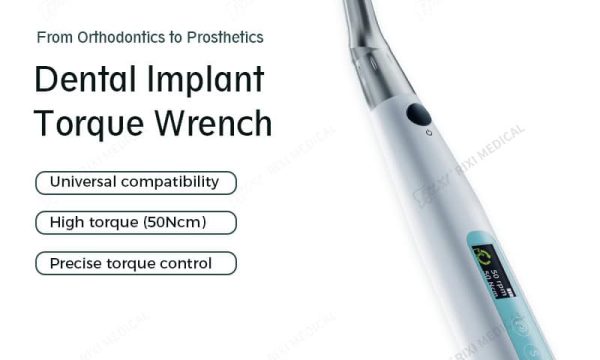
A built-in scaler or other water-connected accessory may require specific tubing, valves, control connections, pressure conditions and processing instructions. Confirm whether the proposed item is factory integrated, supplied as an approved retrofit kit or requires third-party installation. Ask for the item codes of the handpiece, tips, cables, tubing and service parts included in the package.
Do not infer cleaning or sterilization methods from a visually similar component. Use the current instructions for the exact accessory and identify which parts are removable, reusable, single-use or service-only. The clinic’s responsible professionals should review the operating and processing instructions before the accessory enters use.
Delivery systems and control integration
An added instrument position affects hose routing, arm balance, holder logic, foot-control behavior and the user’s reach. Compare the accessory proposal with the chair’s existing delivery-system architecture. Check whether the control board has an available interface and whether adding the component changes access to filters, valves or other service items.
The dental chair delivery-system guide explains the main layout choices. If the retrofit changes presets or movement controls, use the dental chair position-controls procurement guide to document expected behavior.
Build an accessory retrofit approval sheet
- Chair model, serial or production identifier and current configuration.
- Accessory model, revision, quantity and all included components.
- Mounting drawing and required bracket or conversion kit.
- Electrical, air, water, drainage, control and data interfaces as applicable.
- Installation responsibility and the tools or access needed.
- Cleaning, processing, inspection and maintenance instructions.
- Replacement parts, wear items and service contact route.
- Acceptance tests and the person responsible for sign-off.
Attach photographs of the existing chair and proposed mounting area. If the supplier cannot confirm compatibility remotely, approve a site survey or representative sample rather than treating an uncertain quotation as final.
Receiving and installation acceptance
- Compare model and item codes with the approved retrofit sheet.
- Check all brackets, cables, tubing, adapters, fasteners and instructions.
- Inspect for visible shipping damage before installation.
- Confirm that installation follows the model-specific instructions.
- Move the chair and accessory through the documented range while checking clearance and cable routing.
- Run only the manufacturer’s prescribed functional checks.
- Confirm that service panels and routine maintenance points remain accessible.
- Record the installed configuration and retain before-and-after photographs.
For the broader chair handover, use the dental chair maintenance checklist. For features controlled through software, presets or integrated electronics, the smart dental chair feature acceptance checklist covers configuration and demonstration records.
Frequently asked questions
Can any accessory from the same brand be added to an older chair?
Not automatically. Confirm the chair revision, mounting, utilities, controls and available retrofit kit for the exact combination.
Is a matching connector proof of electrical compatibility?
No. Voltage, current, grounding, control signals and supplier approval also need verification.
Should clinics choose factory-integrated accessories only?
Not necessarily, but every option needs documented compatibility, installation responsibility and a service path.
What should be kept after installation?
Retain the approved configuration, drawings, item codes, instructions, installation record, acceptance result and maintenance requirements.
Scope and review note
This article provides general equipment procurement and installation-planning guidance. Model-specific instructions, electrical work, plumbing work, infection-control procedures and clinical use should be handled by appropriately qualified personnel.
Review the R5 dental chair unit with accessories as a current configuration example. For a compatibility check, contact RIXI Medical with the chair model, photographs, target accessory and intended market.
Need Dental Equipment Pricing or Configuration Details?
Contact RIXI Medical for model comparison, distributor pricing, packaging information, OEM/ODM requirements and after-sales support.
Request Product Information