A chairside display may fit the buyer’s preferred screen size yet fail to fit the chair. The missing detail is often the mounting assembly: where it attaches, what it is approved to carry, and how the screen and cables move around the delivery unit. Resolve these questions before ordering a screen or asking an installer to adapt a bracket.
This guide is for procurement teams specifying a new chair package or evaluating a display retrofit. It focuses on mechanical mounting and cable coordination, not camera image quality or clinical use. A product photograph is a starting point for questions, not evidence that an accessory fits every chair.
Specify a complete assembly, not just a monitor
Record the exact chair model, production revision and existing accessory arrangement. Then identify the display, bracket, arm, attachment point, fasteners, power supply and cable-management parts proposed for that unit. Ask the supplier to show which parts are included and which must be obtained locally. A quote that says “monitor optional” leaves too much unresolved. Ask who supplies each part and who signs off the assembled option. If the screen and chair come from different companies, nominate one party to reconcile their drawings. Keep the written answer with the quotation so the receiving team is not left to resolve conflicting assumptions.
The R5 dental chair package illustrates a chair family to discuss with the supplier. Do not infer a monitor option or mounting approval from a family name. Request a drawing and written confirmation for the exact configuration being quoted, including any differences between a new factory assembly and an existing installed chair.
Ask for the load and attachment evidence
A screen’s diagonal dimension does not define its mass, mounting points or position relative to the arm. Request the display’s external dimensions and weight, its rear attachment drawing, and the bracket’s approved application. Include accessories carried by the same assembly, such as a camera holder or cable support. Have the supplier confirm the complete load arrangement rather than checking the screen alone.
For an adjustable arm, ask which display weights and positions the manufacturer permits, how its adjustment is set, and who is authorized to perform that work. Do not add counterweights, drill attachment holes or substitute fasteners based on appearance. The specified fixings, supporting structure and installation procedure must be reviewed together by the responsible qualified installer.
If the supplier proposes a generic adapter, request drawings for both sides and an explicit statement of compatibility. Matching holes are not, by themselves, proof that the chair attachment can support the proposed assembly. An unanswered load or attachment question is a reason to hold the option, not to improvise at delivery.
Review the movement envelope with the room layout
Show the display location on a plan and elevation of the actual operatory. Ask how its permitted travel relates to the chair, light arm, instrument console, assistant module and nearby cabinetry. Include the locations where staff need to enter, exit or reach service panels. A screen positioned attractively in one photograph may occupy a different space when the surrounding equipment moves.
Request a supplier demonstration of the proposed arrangement through the movements allowed by the relevant manuals. The review should identify viewing positions, permitted adjustment, parking position and any restrictions. It should not involve a patient or improvised loading. A remote demonstration can reveal an obvious conflict, but measurements and installation approval still require the appropriate drawings and local checks.

Separate cable routing from signal compatibility
Define what the display must show: an associated intraoral camera, a computer output, or another specifically approved source. List the required connectors and operating modes before discussing cable routes. A screen is not automatically a computer monitor, a network terminal or a compatible display for every imaging device.
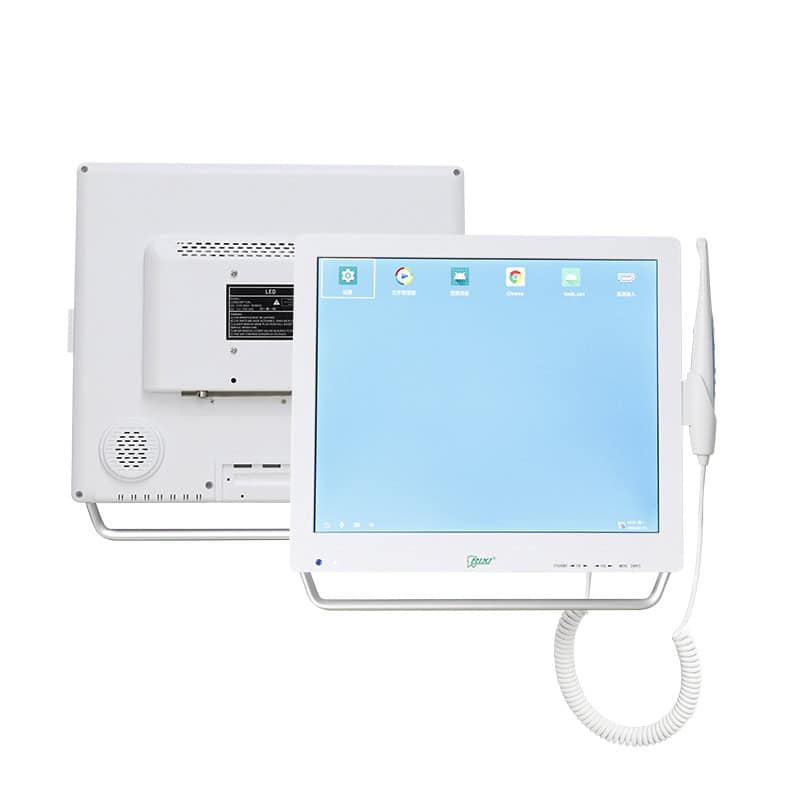
The intraoral camera and monitor product page describes one equipment family. Check the current model’s interfaces and supplied components directly. For the broader choice between a dedicated monitor system and a computer-connected workflow, use the wireless versus monitor camera comparison; that decision is separate from bracket compatibility.
Ask for an illustrated cable route showing approved fixing points, connector access and movement allowances. Confirm how cables avoid trapping or tension during permitted adjustments, where the power supply is located, and which parts remain accessible for service. Do not route new wiring through a chair or modify its electrical system without manufacturer instructions and qualified review.
Put unresolved interfaces on one approval sheet
A small interface sheet keeps the display supplier, chair supplier and installer working from the same proposal. Record evidence and ownership, rather than ticking a generic “compatible” box.
| Interface | Required confirmation | Decision before release |
|---|---|---|
| Chair to arm | Approved attachment location, assembly code and installation drawing | Supplier confirms the specific chair revision |
| Arm to display | Mounting drawing, complete carried load and permitted adjustment | Exact display and accessories accepted |
| Moving equipment | Room dimensions and permitted movement review | Conflicts and restrictions resolved |
| Power and signals | Connector list, power arrangement and cable route | Responsible installer and scope agreed |
| Service access | Removal instructions, replaceable parts and documentation | Owner knows how support will be obtained |
For other additions, the dental chair accessory retrofit guide provides the wider compatibility framework. A whole-room project also needs an operatory equipment interface review. Neither replaces a mounting drawing for this display.
Check the delivered configuration against the approved record
At handover, compare model and assembly identifiers with the released documents. Have the authorized installer check the fitted assembly and demonstrate permitted adjustments under the instructions. Record any missing cable covers, inaccessible connectors or departures from the approved arrangement. Do not accept a substituted bracket solely because the screen appears to stay in place.
Keep the approved drawings, adjustment instructions, replacement-part references and installer handover with the chair’s equipment record. If a display is replaced later, repeat the compatibility review rather than assuming the next screen has the same requirements. RIXI Medical, a dental equipment manufacturer and supplier based in Foshan, China, provides a technical documentation enquiry route for model-specific questions.
Frequently asked questions
Does the same screen size mean the same bracket will fit?
No. Compare the exact display dimensions, weight, rear attachment drawing and approved arm application. Screen diagonal alone cannot establish compatibility.
Can a clinic add a monitor to any dental chair?
Do not assume so. The chair manufacturer must confirm an approved attachment and installation arrangement for that unit. Some proposals may require a different location or may not be supported.
Is a successful video demonstration enough to approve installation?
No. It is preliminary evidence of the demonstrated configuration. Drawings, permitted loads, local clearances and the qualified installation review still need to be resolved.
What changes should trigger a new review?
A different display, arm, bracket, attachment point or carried accessory should prompt a compatibility check. Record changes before ordering replacement parts or authorizing installation.
Scope note: This is a procurement review, not an engineering approval or installation procedure. Use current manufacturer instructions and locally qualified professionals for technical assessment.
Request a model-specific mounting proposal with your chair identification, display details and room drawing.
Need Dental Equipment Pricing or Configuration Details?
Contact RIXI Medical for model comparison, distributor pricing, packaging information, OEM/ODM requirements and after-sales support.
Request Product Information