A dental chair delivery system determines where instruments are stored, how tubing approaches the working field, and how the dentist and assistant share access around the patient. The correct configuration is not simply a matter of preference. It should match the room plan, handedness, staffing pattern, service access and the procedures performed in that operatory.
This comparison explains the practical differences between over-the-patient, hanging-hose, rear and side delivery arrangements. It is general procurement guidance; exact movement ranges, holder counts, connections and optional modules remain model-specific and should be confirmed on the supplier’s current quotation and drawings.
Start with the clinical workflow, not the product label
Two systems may both be described as “delivery units” while behaving differently in a treatment room. Before comparing models, document who normally transfers instruments, whether clinicians share operatories, which side the assistant occupies, and where carts, cabinets, imaging equipment and the operating light must move.
A short chair-side simulation is more useful than a brochure claim. Mark the proposed chair and cabinet positions on the floor, then have the dentist and assistant rehearse access from their normal working zones. Check whether the delivery arm crosses a walkway, whether tubing reaches without pulling, and whether the console can be parked without obstructing entry or cleaning.
Delivery-system configurations compared
| Configuration | What to evaluate | Common planning risk | Best evidence to request |
|---|---|---|---|
| Over-the-patient or continental | Arm reach, console balance, hose return and patient entry | The console or tubing conflicts with the light, assistant or transfer zone | Movement video, dimensioned reach drawing and loaded-console hold test |
| Hanging-hose | Holder angle, usable hose length, tubing drag and left/right conversion | Hoses contact the floor or pull during rear-quadrant work | Hose specification, holder layout and sample-unit workflow trial |
| Rear delivery | Shared access, cabinet clearance and visibility from operator positions | Repeated turning or blocked access when the assistant is seated | Operatory plan showing operator, assistant and cabinet envelopes |
| Side delivery | Preferred operating side, swivel range and parking position | The unit cannot convert for another clinician or narrows the aisle | Handedness statement, arm travel limits and installation drawing |
Over-the-patient and hanging-hose systems
An over-the-patient console brings instruments near the working field. This can support direct access when its arm, holders and hoses are positioned for the actual team. However, the label alone does not prove ergonomic suitability. Buyers should test the force needed to move the arm, whether it stays where placed, and whether the console can be moved away for patient entry and room turnover.
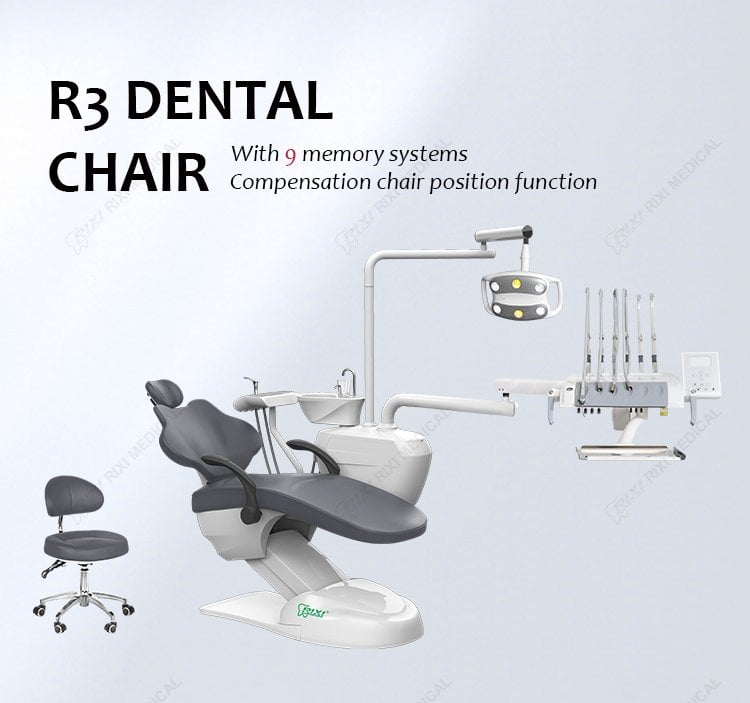
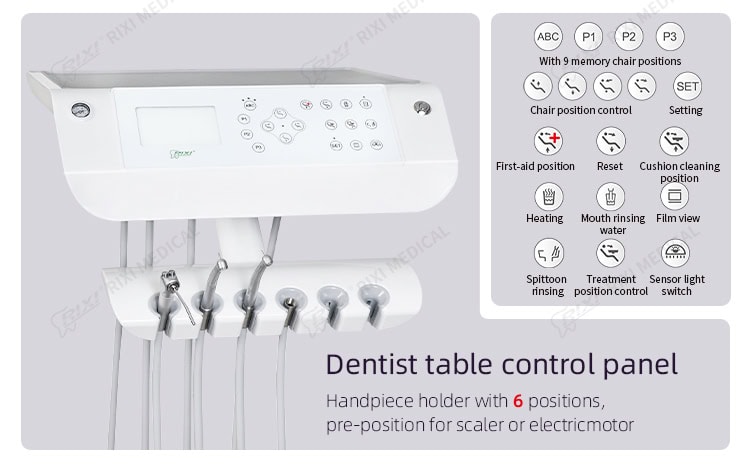
Hanging-hose systems require particular attention to tubing length and retraction. Ask the supplier to show the console at the furthest intended working position with the normal instrument load installed. The R3 hanging-delivery dental chair unit is one existing configuration that can be used to discuss holder arrangement and console reach, but its current specification should be reviewed rather than assumed to represent every model.
Rear and side delivery systems
Rear delivery keeps much of the instrumentation behind the chair and can leave the patient’s front area visually open. Its success depends on access from the positions used by both team members. A layout that works for four-handed dentistry may be inconvenient for a clinician working without an assistant, and a fixed cabinet can limit future room changes.
Side delivery can be useful when one operating side is stable and the room has enough lateral clearance. Confirm whether the assembly is fixed, movable or convertible. If multiple clinicians share the room, record their handedness and seating positions before approving the configuration. The broader dental chair configuration comparison provides a separate framework for matching the whole chair package to clinical workflow.
Specifications and drawings to request
- A dimensioned plan showing the chair base, delivery-arm pivot, full console travel and parked position.
- The number and type of instrument holders, together with optional module locations.
- Usable hose length, hose material or replacement part reference, and the retraction method where applicable.
- Electrical, air, water, drainage and suction connection requirements for the quoted configuration.
- Left/right conversion procedure and a list of parts or labor required.
- Maximum stated console load and the supplier’s method for checking drift or arm balance.
- Cleaning access, removable components and the approved surface-care instructions.
- A spare-parts list for holders, tubing, valves, arm joints and control components.
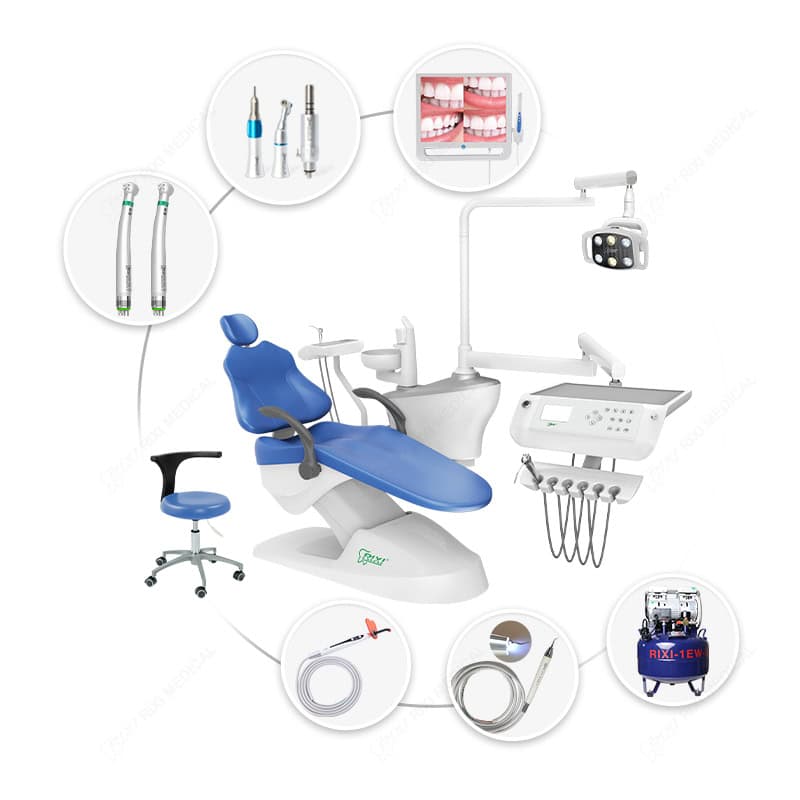
Coordinate these documents with the dental chair utility requirements guide before rough-in work begins. For an integrated example, review the R1 integrated dental chair unit and verify which photographed items are standard or optional on the actual quotation.
Sample-unit acceptance test
- Confirm identity. Match the sample model, revision and options to the quotation and packing list.
- Load the console. Install the intended instruments and verify that the arm moves and holds position throughout its range.
- Run a workflow simulation. Test patient entry, operator access, assistant transfer, light movement and emergency exit clearance.
- Check hoses and holders. Look for pulling, kinking, floor contact, accidental release and interference with controls.
- Inspect service access. Ask the technician to demonstrate access to valves, filters, tubing connections and adjustment points.
- Record the result. Photograph the approved configuration and list any changes before bulk production or installation.
The dental chair position-controls guide covers a related acceptance check for movement commands and presets. Buyers comparing integrated packages may also review the R4 dental chair unit as another current site example.
Questions to resolve before purchase
Is one delivery style always more ergonomic?
No. Fit depends on the room, team, procedures and actual reach geometry. A chair-side trial with the intended users is the safest basis for approval.
Can a delivery system be converted later?
Some assemblies are convertible, while others require different arms, plumbing or cabinetry. Request a written conversion scope and parts list for the exact model.
Should the buyer approve a product photo?
A photo helps identify the arrangement, but approval should be based on the model code, option list, drawings and sample test. Photographed accessories may not be included.
What belongs in the handover record?
Keep the final layout, connection diagram, serial or model records, option list, inspection results, parts list and training confirmation together.
Scope note and next step
This guide supports procurement and workflow review; it does not replace the manufacturer-specific installation manual or qualified site assessment. Send RIXI Medical the room plan, preferred working side, staffing pattern and required instruments through the contact page to receive a configuration-specific discussion.
Need Dental Equipment Pricing or Configuration Details?
Contact RIXI Medical for model comparison, distributor pricing, packaging information, OEM/ODM requirements and after-sales support.
Request Product Information