A quotation for a dental chair assistant unit may list holders, suction hoses and a control panel without making clear which parts are included or how they connect. Two similar-looking modules can therefore represent different packages. The buyer needs an identifiable configuration, not an assumption that every assistant-side function shown in a catalog is standard.
This guide focuses on the assistant module attached to or supplied with a dental unit. It is not a guide to the assistant’s stool and does not claim to prevent injury or improve clinical outcomes. Start with the dental chair configurations, then request the exact assistant-side specification for the proposed order.

Define what belongs to the assistant unit
Ask the supplier to identify the module, its mounting arrangement and every quoted holder or instrument position. Record which hoses, valves, controls, adapters and removable parts are supplied. If an optional accessory occupies a holder position, show that choice in the configuration rather than adding it informally after approval.
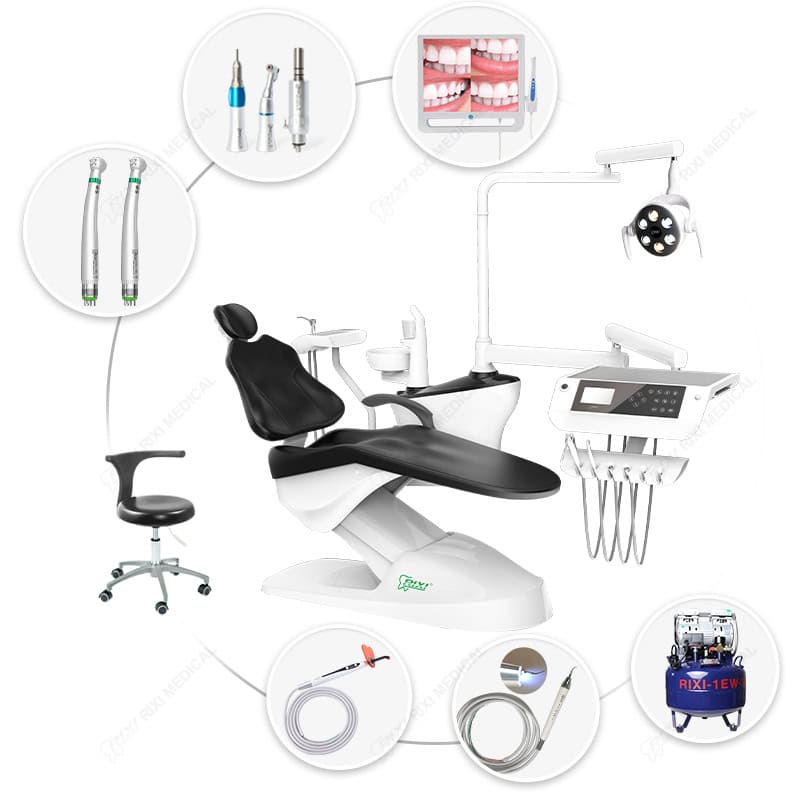
Keep the dentist’s delivery console, assistant module, cuspidor assembly and operator seating as separate schedule items, even when sold together. This makes exclusions visible. A photograph showing a stool or curing light beside the chair does not establish that it is included in the assistant package.
Use a marked image or drawing to connect each item description to its location. Avoid approving a module solely as “standard assistant arm”; that wording does not define its holders, controls, mounting side or connections.
Map each control to a documented function
Request a control list for the exact panel revision. Identify the button or switch, its stated function and whether the same function is available from another control location. Do not assume that a pictured assistant panel duplicates every dentist-side command or controls all fitted accessories.
| Control record | What the supplier should identify | Buyer check |
|---|---|---|
| Panel identity | Model, version and applicable instructions | The quoted panel matches the sample and order |
| Command | Named function and the affected component | Terminology is consistent across the quotation and manual |
| Operation | Manufacturer-defined action, stop behavior and restrictions | Qualified evaluation follows the current instructions |
| Accessory control | Required module, wiring or other interface where applicable | The accessory is included and its compatibility is documented |
The chair position-controls guide covers movement commands in more detail. This purchasing record should identify which of those commands actually belong to the assistant panel on the offered model.
Trace suction connections beyond the holders
A holder count does not describe the entire suction arrangement. Ask how each specified hose connects to the dental unit and the intended suction supply. Request the relevant connection information, interface requirements and division of responsibility between the equipment supplier and local installer.
Do not infer capacity from the number of hanging hoses, and do not assume that a hose assembly can be moved between units with different suction architectures. The dental suction procurement guide addresses the wider system. Keep that selection separate from approving the assistant-side holders and controls.
Ask which traps, filters or related service components, if applicable, are part of the delivered configuration. Identify their locations and applicable instructions before cabinetry or other equipment blocks access. This guide does not prescribe a suction operating setting or a cleaning procedure.
Review the mounting and parking arrangement
Request a plan showing the module’s mounting point, permitted movement and intended parked position. Include the chair, side unit, delivery console, stools and fixed cabinetry. A module may fit beside an unoccupied chair yet conflict with a drawer, aisle or adjacent equipment when the full room is in use.
Ask the supplier whether left/right conversion is supported for the exact configuration. If it is proposed, obtain the required parts, work scope and revised drawings. Do not treat a movable side box, a reversible holder or a similar catalog model as proof that the complete unit converts without tools or technical work.
A sample review should use the intended team and room constraints, with results recorded against that configuration. General workflow observation and individual ergonomic fit testing remain separate activities; a procurement drawing does not establish a health benefit or an acceptable posture for every user.
Keep cleaning access and service work explicit
Identify the removable holders, surfaces and user-accessible components described in the supplied instructions. Ask which cleaning products and methods apply to each material. A smooth appearance does not prove infection-control performance or compatibility with a clinic’s existing chemicals.
The cleaning-product compatibility guide explains how to request that evidence. Do not replace it with a generic claim that every surface is antibacterial or that an assembled module can be processed in one universal way.
For service planning, request holder, hose, valve and panel identification appropriate to the support agreement. Record which adjustments belong to the user and which require qualified service personnel. Ask how a replacement is matched to the installed model and revision, especially when the module is supplied as part of a distributor package.
Approve the module as a controlled order item
Before order release, connect the assistant-unit reference to the chair configuration, approved drawing and included components. Record open differences from the sample. A supplier’s general statement that the chair supports teamwork should not close a missing control, unclear connection or unsupported conversion request.
- Identify the module, mounting side and document revision.
- List holders, hoses, controls and optional accessories separately.
- Resolve suction and accessory interfaces with the responsible parties.
- Keep permitted movement, parking and service access on the drawing.
- Define the evidence required for acceptance and any unresolved item.
At delivery, compare the supplied identity and visible arrangement with that record. Qualified personnel should perform functional checks under the applicable instructions. If a component differs, document the condition and obtain a reviewed correction rather than adapting it informally.
Frequently asked questions
Is an assistant unit the same as an assistant stool?
No. This guide concerns the instrument and control module associated with a dental unit. Seating is a separate product and should be evaluated with the intended user and room.
Does every assistant panel control chair movement?
Do not assume so. Request the function list and current instructions for the exact panel and chair combination, including any optional modules.
Can the assistant unit always switch sides?
No universal conversion capability is established here. Ask whether the selected configuration supports the change and obtain the parts, work scope and updated drawings if it does.
What should a replacement-module enquiry include?
Provide the chair and module identifiers, available revision information, photographs and the required functions. Request written interface and parts confirmation before ordering.
Scope: General procurement guidance only. Confirm model-specific functions, dimensions, cleaning and servicing instructions with the supplier, and site or clinical requirements with qualified professionals.
RIXI Medical is a dental equipment manufacturer and supplier based in Foshan, China. Request the assistant-module specification and layout drawing for the chair configuration you are evaluating.
Need Dental Equipment Pricing or Configuration Details?
Contact RIXI Medical for model comparison, distributor pricing, packaging information, OEM/ODM requirements and after-sales support.
Request Product Information