Before paying to ship a dental chair sample, a buyer may want to see the proposed controls, delivery arrangement and accessory options in operation. A remote product demonstration can help narrow that shortlist. Its value depends on whether the demonstrated unit matches the quotation and whether the buyer records what was actually shown.
This is a guide to reviewing a chair over video, not a collection of customer success stories. It makes no claim about clinical outcomes, installation times or financial returns. Use the session to resolve product questions; reserve physical acceptance, site approval and manufacturing-process assessment for their own reviews.
Give the demonstration one buying decision to support
Start with the question that cannot be answered adequately from the catalog. Perhaps two delivery arrangements appear similar, an optional control panel is unclear, or a distributor needs to understand which accessories belong to a quoted package. Send that question with the relevant quotation reference before arranging a call.
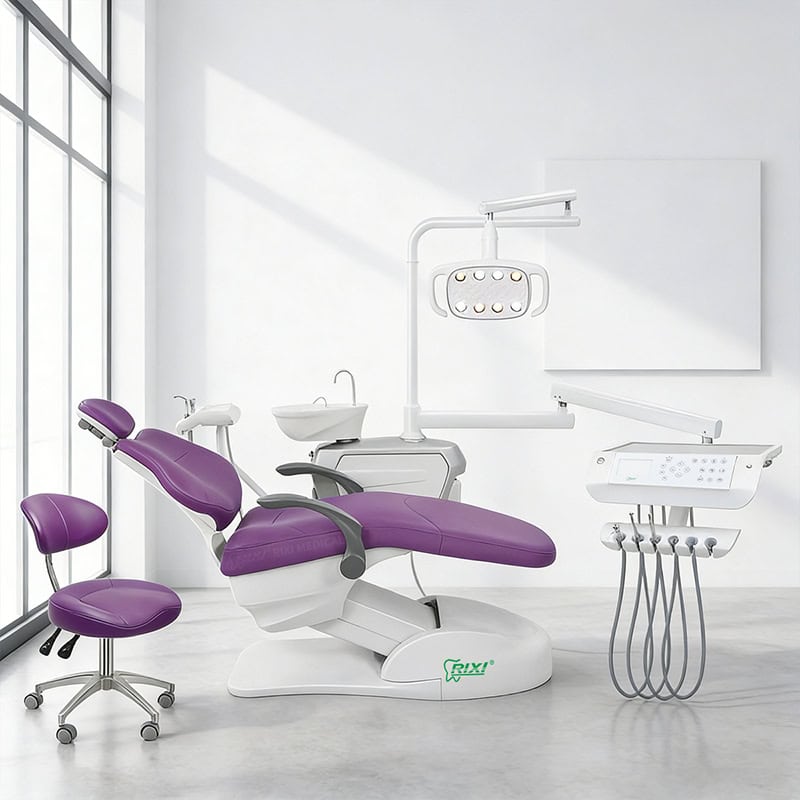
For example, a buyer considering the R3 hanging-delivery chair may ask to see instrument placement and the available console controls. A buyer reviewing an R5 chair configuration should identify its own proposed options. Do not transfer a demonstrated feature from one unit to the other because both appear in the same brochure.
Ask the supplier which format is available: a live session, a prepared recording, or specific close-up clips. Agree on the available scope rather than assuming a full virtual tour or every requested test is offered. A focused agenda is more useful than a long presentation without an identifiable product.

Establish identity before showing functions
Ask for an overall view, then the model identifier and relevant configuration details. Record the date, supplier representative, quotation revision and whether the unit is a showroom example, sample or another identified unit. Where labels contain private information, agree on appropriate redaction without losing the model and revision information needed for review.
List any differences from the quotation before the demonstration starts. A different upholstery color may be irrelevant to a control question; a different console, delivery arm or accessory is not. Mark each difference as acceptable for this question, requiring separate evidence, or preventing a useful demonstration.
A recording should state what was filmed and when. Treat unlabelled promotional footage as an overview, not evidence that a current order includes the pictured functions. If a relevant detail is off camera, ask for a supplementary view rather than recording it as confirmed.
Prepare a short sequence of observable views
Give the presenter a viewing list that follows the buyer’s questions. Start wide enough to understand the assembly, move to the relevant control, then return to a view of the corresponding response. Operations should follow the manufacturer’s instructions and be performed only by an appropriate person. Do not request improvised loading, exposed live wiring or patient demonstrations.
| Viewing request | What to record | What it does not prove |
|---|---|---|
| Overall chair and included modules | Visible arrangement and differences from the quote | Exact dimensions or package completeness without a manifest |
| Control identification and response | Which control is operated and what movement is visible | Reliability, permitted load or clinical suitability |
| Delivery console and instrument holders | Placement, access views and option identifiers | Handling comfort without a physical evaluation |
| Accessory location and parking | Visible positions and potential conflicts to investigate | Clearance in the buyer’s actual room |
| Documents associated with the example | Model sheet and instruction revision references | Compliance in every destination market |
If the video becomes too compressed to read labels or controls, stop that part of the review and request a clear still image. Do not infer small text from a blurred screen. Ask the presenter to distinguish an installed option from a component being discussed but not fitted.
Separate what the camera shows from what the buyer must feel or measure
Video cannot establish cushion comfort, control feel or working reach for a particular user. Microphone processing, room acoustics and the recording setup also mean the sound in a call is not a comparable noise measurement. Avoid ranking units by apparent smoothness or quietness in unrelated promotional clips.
Room fit needs dimensioned drawings and local review. Display integration needs the exact hardware and interfaces. Cleaning, maintenance and reprocessing questions need current instructions, not a presenter improvising a universal routine. Record these limits while the discussion is fresh, with a separate evidence request for each unresolved requirement.
Keep a demonstration record, not a sales-call summary
Use four practical labels: observed in the identified configuration, described but not demonstrated, not available to view, and awaiting clarification. Attach the relevant timestamp or agreed still image to each observation. An affirmative verbal answer belongs in the second group until the necessary evidence is supplied.
Separate the observation from its buying consequence. “The presenter operated this control and the backrest moved” is an observation. “This will reduce our appointment time” is an unverified projection. Neither a polished recording nor a short live call establishes clinical benefits, service life, future uptime or return on investment.
Agree on permission before recording, retaining or sharing a session. Keep patient data out of the demonstration and do not publish an identifiable customer’s premises as a reference without appropriate authorization. For installed-project claims, the project reference evidence guide addresses a different review: whether a supplier’s reported installation can be substantiated.
Close the shortlist decision without calling it acceptance
After the call, send the observation record and request written answers to material open questions. Identify which option remains on the shortlist and which needs a sample or technical review. Do not turn a demonstration into blanket acceptance of production, destination compliance or site readiness.
A shortlisted chair can proceed to the physical sample evaluation checklist. For questions about repeatable manufacturing and process control, use the manufacturer audit guide. A product demonstration, a sample assessment and a factory audit answer different questions; none should be relabelled as the others.
RIXI Medical is a dental equipment manufacturer and supplier based in Foshan, China. Use its technical enquiry channel to clarify available model documents and viewing evidence. The useful result is a better-defined purchase question, not an unsupported promise of performance.
Frequently asked questions
Is live video always better than a prepared recording?
Live video allows follow-up views and questions. A clear, identified recording may still answer a narrow question. Judge whether the evidence shows the relevant configuration, not simply whether it was live.
Can a video demonstration replace a sample?
No. It can help shortlist options, but it does not replace hands-on checks, measurements, installation review or model-specific acceptance procedures.
What if the supplier cannot show the exact option?
Mark it as not demonstrated. Request the applicable documents or another available evidence format, and keep the purchasing decision open if the missing detail is material.
Should a demonstration include patient treatment?
No patient treatment is needed for this procurement review. Limit the agenda to authorized product operations and documentation, without patient information or clinical outcome claims.
Scope note: This is general buying guidance, not a product specification, clinical assessment or engineering approval. Confirm model-specific details and local obligations with the appropriate qualified professionals.
Send a model-specific viewing request with your quotation reference, proposed options and the questions you want the available evidence to answer.
Need Dental Equipment Pricing or Configuration Details?
Contact RIXI Medical for model comparison, distributor pricing, packaging information, OEM/ODM requirements and after-sales support.
Request Product Information