A clinic project can contain individually suitable products and still fail at handover. The chair may arrive before the floor connections are ready, the scanner cart may have no protected parking position, and the compressor may be sized without a complete equipment schedule. Dental clinic equipment integration is the work of joining those decisions before orders are released.
This guide is for clinic owners, project managers, contractors, distributors and procurement teams coordinating several equipment categories. It does not claim that every device must come from one supplier or share one software platform. The objective is simpler: define each interface, assign responsibility and collect enough evidence for installation, acceptance and service.
Start with a room-by-room equipment schedule
List every treatment room, imaging area, sterilization zone, laboratory space and utility room. For each item, record the supplier model, buyer SKU, intended location, power source, water or drainage connection, compressed-air or suction requirement, data connection, installation party and service-clearance requirement. A blank field is a coordination question, not permission to copy a value from another model.
The schedule should distinguish three types of information. Confirmed model data comes from the current specification, drawing or instructions. Project assumptions are decisions made by the architect, contractor or buyer and still require approval. Local requirements must be confirmed by appropriately qualified professionals because building, electrical, data, infection-control and medical-device obligations vary by jurisdiction.
Map physical, utility and data interfaces
Do not treat integration as a software-only topic. Most project failures occur at ordinary interfaces: a chair base over a misplaced service box, cabinetry blocking a maintenance panel, a cart without a safe cable route, or support equipment installed where heat and access cannot be managed. Request dimensioned drawings early enough for the contractor to review them.
| Interface | Evidence to request | Project decision |
|---|---|---|
| Footprint and movement | Plan view, overall dimensions and moving envelope | Room position, access routes and clear working zones |
| Utilities | Model-specific electrical, air, water, drainage and suction requirements | Connection points, isolation access and contractor scope |
| Data and displays | Ports, supported connections, computer requirements and cable routes | Network ownership, monitor location and cybersecurity review |
| Service access | Panel locations, removable covers and maintenance instructions | Clearance, shutdown responsibility and service route |
| Handover documents | Model list, manuals, drawings, accessory list and service contacts | Document owner, revision control and acceptance records |
For dental-chair utilities, use the exact approved model documents rather than a generic template. The dental chair installation guide explains how to coordinate site readiness, delivery and handover without inventing universal pipe sizes or electrical values.
Coordinate the treatment-room core
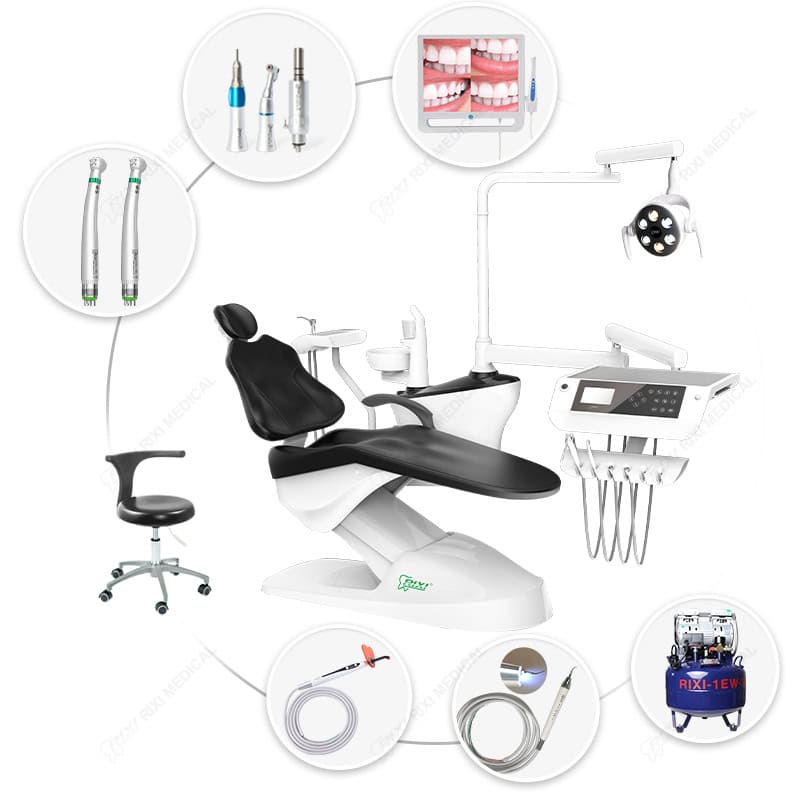
The dental chair, delivery system, operating light, assistant element and optional monitor form the physical center of the operatory. Confirm which components are included, which are optional and which require separate utilities or mounting hardware. Ask for a connection diagram and accessory list that match the quoted revision.
When reviewing a model such as the R5 dental chair unit, separate visible accessories from guaranteed order contents. A catalog image can show possible configurations; the purchase order and approved specification should control what is supplied. RIXI Medical can provide model information from its position as a dental equipment manufacturer and supplier in Foshan, China, while site design and installation decisions remain with the buyer’s qualified project team.
Give mobile digital equipment a defined place
Scanner carts and computers need more than a free power outlet. The team should agree where the cart parks, how it moves between rooms, where cables are kept clear of traffic, whether the workstation uses backup power, and who supports its computer and software. Request the current hardware, operating-system, display, network and scanner-interface requirements for the exact configuration.
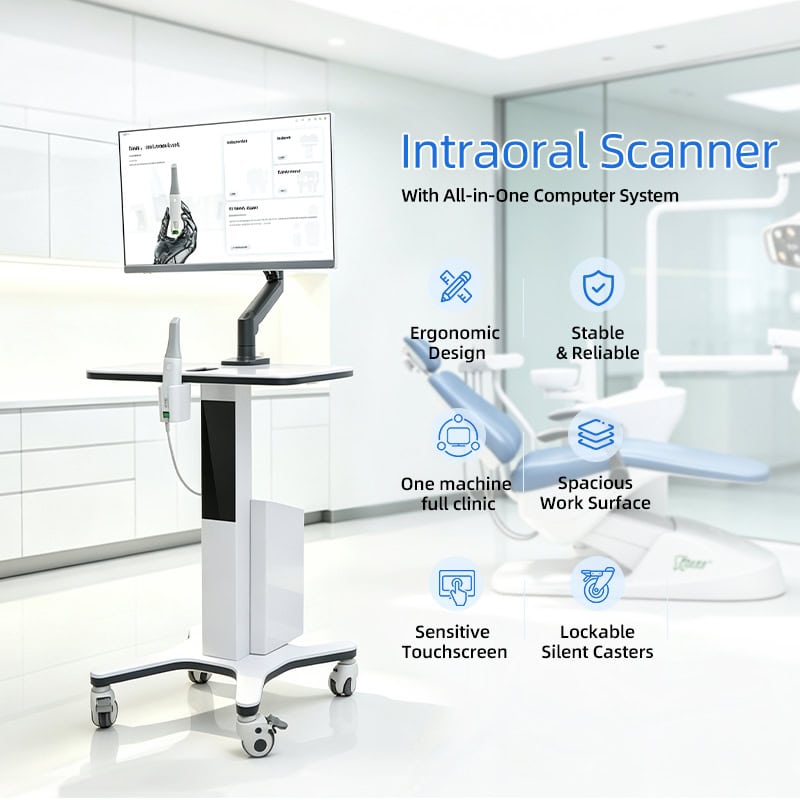
The intraoral scanner cart with power backup illustrates one mobile workstation format. It should not be assumed compatible with every scanner, network or clinical software system. Confirm current interfaces and supplier responsibilities before purchase.
Plan shared support equipment from the combined demand
Compressed air, suction and other shared systems are project infrastructure. Sizing should use the full equipment schedule, the manufacturer’s stated requirements and a realistic concurrency assumption agreed by the project team. Do not multiply a marketing label by the number of rooms and treat the result as an engineering calculation.
The utility-room review should include equipment access, ventilation, drainage where applicable, noise management, isolation points, maintenance routes and the effect of one component being offline. Our dental utility room handover guide provides a coordination framework. Buyers can also review a current dental oil-free air compressor product record, then request the exact model specifications needed for the project.

Use a responsibility matrix before installation
A practical responsibility matrix names one owner for every task. It should show who approves drawings, provides utilities, receives shipments, moves equipment into position, installs each category, configures software, performs model-specific checks, trains users, records defects and handles future service. “Supplier support” is too vague unless the task and boundary are written down.
For multi-supplier projects, appoint a project coordinator who controls the equipment schedule and document revisions. A change to one item may affect cabinetry, power, data, accessories or the delivery sequence. Record the change, identify the affected rooms and obtain approval before relying on it.
Build acceptance around interfaces, not demonstrations
A product demonstration can show that a device powers on, but project acceptance must also confirm the interfaces around it. Compare installed equipment with the approved model schedule. Check visible configuration, included accessories, connection labels, physical clearance, cable management, movement routes and service access. Record unresolved items with photographs, model references and an assigned owner.
Separate three stages where possible:
- Receiving: identity, quantity, package condition, accessories and documents.
- Installation: position, connections, clearances and model-specific setup.
- Operational handover: approved checks, user documents, training records, service contacts and open issues.
For projects that also include laboratory equipment, the dental lab equipment planning guide covers utilities and acceptance without assuming the laboratory shares the same infrastructure as treatment rooms.
Documents to close before final payment or handover
- Final equipment schedule with model and location identifiers.
- Approved drawings and connection information for installed revisions.
- Packing lists and accessory records matched to each room.
- Manufacturer instructions and maintenance information.
- Installation and acceptance records, including unresolved exceptions.
- Software, account and backup ownership where digital systems are involved.
- Spare-parts and service-contact information for each equipment category.
- Change log showing approved substitutions or revisions.
Scope note: This article provides general procurement and project-coordination guidance. It is not a model specification, engineering drawing, clinical protocol or regulatory opinion. Confirm exact values with the supplier and have locally qualified professionals approve site utilities, installation, data security and applicable compliance requirements.
Frequently asked questions
Does integrated equipment have to come from one manufacturer?
No. A single supplier may simplify some communication, but compatibility must still be documented. Multi-supplier projects can work well when interfaces, responsibilities and approved revisions are controlled.
Which document should control if a catalog and drawing disagree?
The buyer and supplier should identify the approved controlling document in the purchase order. Do not assume a catalog image overrides a signed specification, drawing or approved sample.
Who should own software and network integration?
Name the responsible party before purchase. The equipment supplier can describe current interfaces, while the clinic’s IT provider or another qualified specialist should approve the network, accounts, backups and security approach.
What should be checked at project handover?
Verify identity, installation, utilities, accessories, service access, documents, training records and open exceptions against the approved schedule. Keep the signed record with the equipment file.
For a coordinated RIXI equipment proposal, send the planned rooms, product categories and available project drawings through technical support or the contact page. Request model-specific specifications and connection drawings before releasing site work.
Need Dental Equipment Pricing or Configuration Details?
Contact RIXI Medical for model comparison, distributor pricing, packaging information, OEM/ODM requirements and after-sales support.
Request Product Information