A dental chair installation succeeds when the clinic, supplier, contractor and service technician work from the same approved documents. The chair itself is only one part of the project. Delivery access, floor conditions, electrical supply, compressed air, water, drainage, suction, network requirements and service clearances all need to match the selected configuration.
This dental chair installation guide covers the process from site readiness through commissioning and handover. It provides general project controls rather than model-specific dimensions or connection values. The current installation manual and drawing for the exact chair, delivery system and accessories must govern the work.
Define Responsibilities Before Work Starts
Assign one project lead who controls the latest drawings and records decisions. The clinic should identify the person approving room layout and workflow. The equipment supplier should confirm the ordered configuration and provide current technical documents. Local contractors should verify that utilities and building work comply with applicable requirements. A qualified equipment technician should complete or supervise the work specified by the manufacturer.
Do not let a general product photograph become the installation drawing. Two chairs with a similar appearance may have different utility entry points, base footprints, accessory mounts or service needs. Start by matching the purchase order to the exact model and options in the dental chair product range.
Request the Installation Document Pack
Ask for the document pack early enough for the architect and contractors to review it before floors, cabinetry and utility drops are finalized. The pack should be version-controlled and linked to the exact configuration.
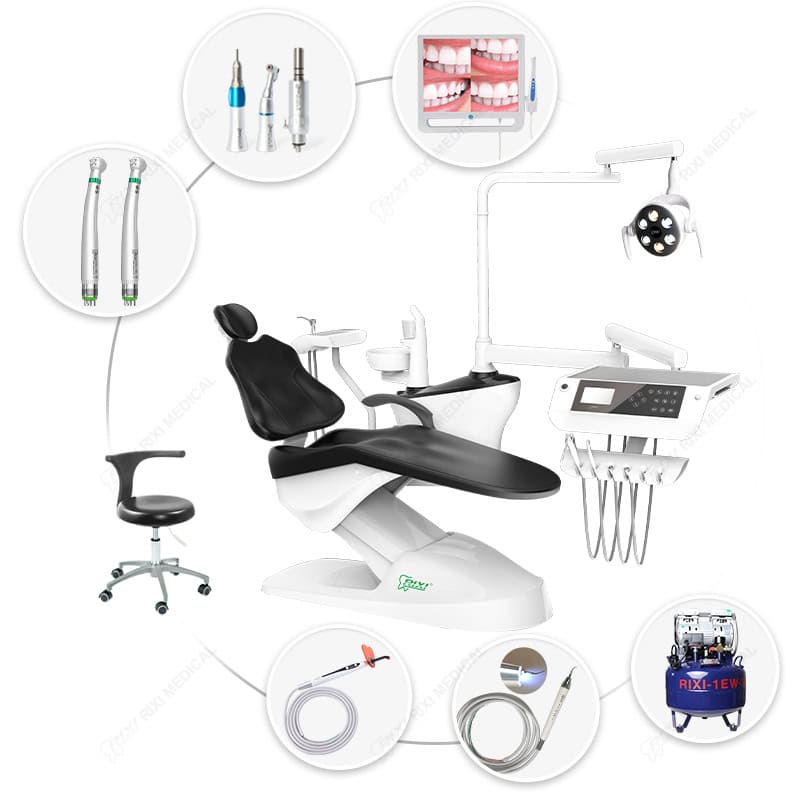
- Model and configuration list, including delivery system, assistant module, light, cuspidor, foot control and optional accessories.
- Dimensioned plan and elevation drawings with the utility entry zone and required movement envelope.
- Electrical, air, water, drainage and suction requirements for the selected unit.
- Base or anchoring instructions, floor-condition requirements and any load information needed by the building professional.
- Assembly, installation, commissioning, cleaning and maintenance instructions.
- Packing list, serial-number locations, spare-parts information and the service escalation route.
The clinic can use the separate dental chair installation requirements guide during early room planning. The present page focuses on controlling the installation and handover process after a model and room have been selected.
Complete a Site-Readiness Review
| Area | Readiness question | Evidence to record |
|---|---|---|
| Room layout | Can the chair and attachments move without hitting walls, cabinetry or mobile equipment? | Approved plan and marked movement envelope |
| Delivery route | Are doors, corridors, lifts and turning points suitable for the packed components? | Measured route and delivery plan |
| Floor and base | Is the finished floor suitable for the specified fixing or base arrangement? | Contractor confirmation against the manufacturer drawing |
| Electrical | Does the supply, isolation and protective arrangement match the current installation manual? | Qualified electrical check and labeled isolator |
| Air and water | Are pressure, flow, filtration and shutoff arrangements within the stated model requirements? | Measured values and labeled shutoffs |
| Drainage and suction | Are routing, fall, connection points and service access coordinated? | Contractor sign-off and connection photographs |
| Service access | Can covers, filters, valves and drive components be reached after cabinetry is installed? | Access check using the final room layout |
Record actual measurements and compare them with the approved documents. Avoid generic assumptions such as a universal pipe diameter, voltage, air pressure or clearance. Those values can vary by model, market, building design and accessory package.
Plan Delivery and Receiving Inspection
Confirm the delivery date only after the room is ready and a secure staging area is available. Protect finished floors and walls, and keep a clear route from unloading to the operatory. If components must be stored, follow the packaging and environmental instructions supplied for the equipment.
At receiving, compare the number and condition of packages with the carrier record before signing without exception. Photograph visible damage, preserve labels and identify shortages against the packing list. Do not energize or assemble a component that appears damaged until the supplier or authorized technician provides direction.
Check model labels, serial numbers, upholstery color, delivery-system orientation, light, assistant module and listed accessories against the approved order. A purchasing error found before assembly is easier to isolate than one discovered after utilities and cabinetry have been completed.
Coordinate Mechanical Assembly and Utility Connections
Follow the manufacturer’s sequence for unpacking, positioning, assembly and fixing. Protect cables, hoses and finished surfaces from twisting, crushing or contamination. Confirm that moving parts can travel through their intended range before permanent surrounding work limits access.
Electrical, plumbing, compressed-air, drainage and suction connections should be completed by appropriately qualified personnel where required. Their work should follow the current model documentation and applicable local rules. This guide does not replace those instructions or professional responsibilities.

Protect Future Service Access
Before the chair is finally positioned, identify access panels, filters, utility isolation points and components that may require inspection. Cabinet doors, wall finishes and fixed storage should not block the documented service route. Photograph concealed utilities before they are covered and label shutoffs so staff can identify them without guesswork.
Ask the service representative to explain which checks belong to clinic staff, which require a trained technician and which consumables or spares should be kept on site. The RIXI technical-support page provides a starting point for requesting model-specific help.
Commission the Installed Chair
Commissioning should prove that the delivered configuration operates as intended in the completed room. Use a written acceptance record rather than relying on a brief demonstration. The exact test list must come from the manufacturer’s instructions, but a project record will commonly cover the following areas:
- Identification of the chair, major modules and accessories.
- Correct assembly, secure fixing and absence of visible transport damage.
- Chair movement, limits, presets and emergency or stop functions described in the manual.
- Operation of the light, delivery system, assistant controls, water, air, suction and drainage as equipped.
- Leak checks, cable and hose routing, abnormal noise and interference through the movement range.
- Cleaning access, service access and location of isolators.
- Outstanding items, responsible party, due date and final acceptance status.
Do not create pass criteria from a generic article. Use the model manual, approved order and any written manufacturer clarification. If the clinic has a separate construction handover process, align this equipment record with the clinic owner’s installation handover checklist.
Train Staff and Close the Project
Handover should include the operating controls, normal startup and shutdown, approved cleaning methods, user-level checks, fault reporting and the boundaries of staff maintenance. Record the trainer, attendees, documents supplied and unresolved questions. Keep the final configuration, serial numbers, commissioning record and service contacts together.
Before releasing the room, repeat a basic workflow check with the installed equipment. Confirm that the operator and assistant can use controls and access instruments without new collisions introduced by cabinetry, stools or mobile equipment. A procurement review can also use the dental chair buying checklist to confirm that promised documents and accessories were delivered.
Common Installation Control Failures
- Using an outdated drawing: mark the approved revision and remove superseded copies from the work area.
- Completing cabinetry before checking movement: review the full chair and delivery-system envelope first.
- Assuming utilities are universal: verify every connection against the selected model documentation.
- Accepting packages without inspection: document damage and shortages at receiving.
- Skipping a written commissioning record: record tests, exceptions and responsible parties.
- Blocking service points: check access after all fixed furniture is installed.
Frequently Asked Questions
Can the clinic install the chair without a technician?
Follow the manufacturer’s requirements. Assembly, utility connections and commissioning may require qualified personnel, and local rules may assign specific work to licensed trades.
Which dimensions should a contractor use?
Use only the current dimensioned drawing for the exact model and configuration. Do not scale dimensions from photographs or reuse values from another unit.
When should installation acceptance be signed?
Sign final acceptance after the agreed commissioning checks are complete, documentation and training have been handed over, and any exceptions are clearly recorded.
What if the delivered configuration differs from the order?
Photograph and isolate the discrepancy, preserve the packing and identification records, and obtain written direction from the supplier before modifying or substituting components.
Scope and Review Note
This article is general procurement and project-management guidance. It does not replace the selected equipment’s installation manual, local building and safety requirements, or the work of qualified professionals. For current drawings and configuration confirmation, contact RIXI Medical with the exact model and accessory list.
Need Dental Equipment Pricing or Configuration Details?
Contact RIXI Medical for model comparison, distributor pricing, packaging information, OEM/ODM requirements and after-sales support.
Request Product Information