A dental technology investment case should not depend on a market forecast, a supplier’s return-on-investment promise or an assumption that newer equipment automatically improves a clinic. Buyers need a traceable link between a current workflow problem, the proposed configuration, the full implementation burden and an observable acceptance result.
This guide gives clinic owners, distributors and procurement teams a practical way to compare a scanner, imaging device, chairside display or connected equipment package without inventing revenue, productivity or clinical outcomes. It is designed for purchase approval and post-installation review rather than financial or medical advice.
Define the decision before comparing products
Write one sentence describing the operational problem. Examples include repeated manual file transfer, equipment that cannot be positioned safely in the available room, delayed access to images at chairside, or a service process that depends on undocumented parts. Avoid a goal such as “become a digital clinic”; it is too broad to evaluate.
Next, define the users, rooms and volume range involved without converting assumptions into guaranteed savings. The existing dental chair buying guide can help buyers separate a base product decision from accessories, utilities and service considerations.
Build a full cost map
The purchase price is only one line in the investment case. Ask suppliers and internal teams to identify every required component and responsibility. Leave unknown values open until they are confirmed; do not hide them inside a contingency percentage that nobody can explain.
| Cost area | Items to confirm | Evidence source |
|---|---|---|
| Equipment | Main device, accessories, cables, adapters, carts and optional modules | Approved configuration and quotation |
| Site preparation | Power, data, mounting, utilities, ventilation and service clearance | Supplier drawing and contractor review |
| Software and access | License scope, accounts, workstation requirements and update responsibility | Current license and system documentation |
| Implementation | Installation, configuration, test data, staff orientation and acceptance time | Responsibility matrix and project plan |
| Operation | Approved consumables, maintenance, backups and routine quality checks | Manufacturer instructions and clinic procedure |
| Service risk | Spare parts, diagnostic process, replacement workflow and escalation | Service documentation and support handover |
Connect benefits to observable evidence
A useful benefit is measurable inside the buyer’s own workflow. Instead of claiming that a device “saves time,” identify the exact step expected to change and how the clinic will observe it. Examples include fewer manual exports, one less equipment move between rooms, easier access to a display, or a documented reduction in unresolved support handoffs.
Do not promise clinical results or treatment acceptance. Those outcomes depend on professional judgment and many factors outside the equipment. Procurement evidence should remain within the supplier’s credible scope: configuration, interfaces, documentation, installation support, service access and change control.
Compare alternatives with the same boundary
One proposal may include a workstation, cart and software while another quotes only the device. Normalize the boundary before comparing cost or capability. Record included accessories, excluded site work, account requirements, support responsibility and the document revision used for each offer.
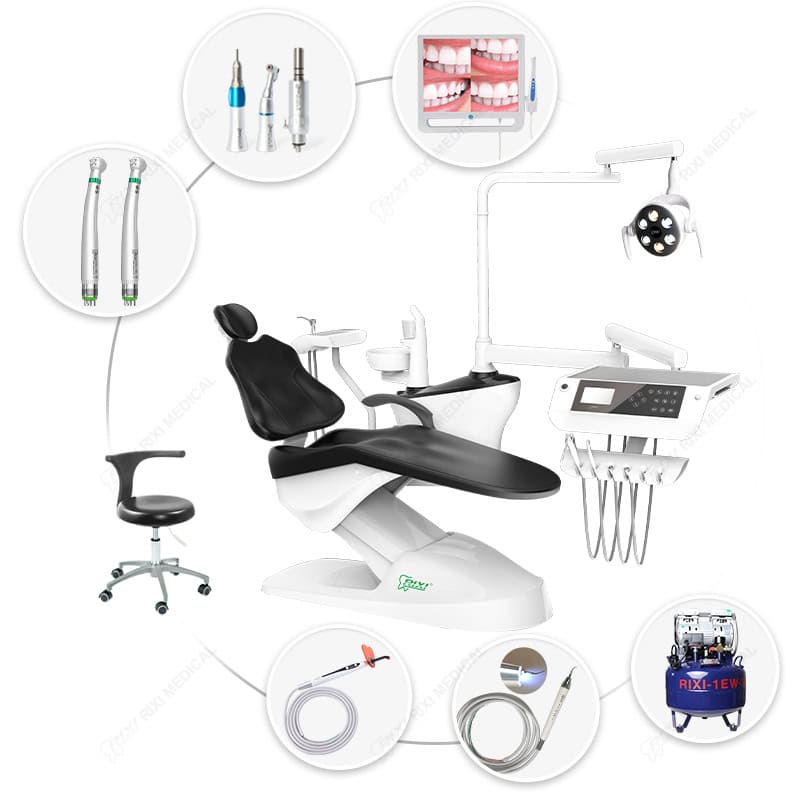
For larger packages, use the clinic equipment integration guide to identify cross-room utilities and responsibility boundaries. Distributors should also review the supplier controls described in the B2B dental equipment sourcing guide.

Use a pilot to reduce implementation uncertainty
A pilot is most useful when it tests the riskiest dependency. For a scanner this may be the intended workstation and file export; for a chairside display it may be mounting, cable routing and source switching; for a dental unit it may be room clearances and service access.
Freeze the pilot configuration and record model numbers, software versions, accessories, drawings and test conditions. List each issue, its owner and the evidence needed for closure. A successful sales demonstration should not replace a buyer-controlled acceptance test.
Set decision gates before approving scale
- Need confirmed: the current problem and affected users are documented.
- Configuration confirmed: the exact models, accessories and site work are identified.
- Interfaces confirmed: required physical and data connections are supported by current documents.
- Pilot accepted: the representative workflow completes without unresolved critical dependencies.
- Handover accepted: manuals, accounts, training records, service contacts and change-control responsibilities are transferred.
- Expansion approved: pilot evidence supports the next purchase stage.
These gates prevent momentum from turning an unresolved sample into a larger order. They also give distributors a consistent record when several clinics will receive related configurations.
Plan the post-installation review
Agree on a review date and evidence before installation. Compare the accepted configuration with the delivered record, open issues and actual support experience. Note whether the planned workflow can be completed, whether staff have the correct documents and whether service access matches the approved layout.
If results differ from the investment case, investigate the assumption rather than forcing a favorable conclusion. The equipment may be correct while training, site preparation or an external interface remains incomplete. Route technical issues through the documented support process.
Procurement file checklist
- Operational problem and users are defined.
- Alternatives use the same scope boundary.
- All required equipment, accessories and site work are listed.
- Unknown costs and dependencies remain visible.
- Benefits are linked to observable workflow evidence.
- Pilot configuration and acceptance criteria are controlled.
- Service, software, data and change responsibilities are assigned.
- A post-installation review is scheduled with named owners.
Scope note: This article offers general procurement evaluation guidance. It does not provide financial, clinical, cybersecurity or regulatory advice. Confirm model-specific specifications and commercial terms with suppliers, and consult locally qualified professionals for the destination market.
Frequently asked questions
Should estimated labor savings be included?
They can be treated as a scenario only when the current step, proposed change and measurement method are clear. Do not present a supplier estimate as a guaranteed saving.
What if two quotations include different accessories?
Normalize both offers to the same approved configuration. List missing accessories, site work, software and support separately before comparing totals.
How large should a pilot be?
Use the smallest configuration that tests the material dependencies of the intended workflow. The goal is evidence, not a miniature rollout.
When should a project stop or return for review?
Return it for review when a required interface is undocumented, the site cannot support the configuration, account ownership is unresolved, or a critical acceptance test fails.
Buyers can compare relevant equipment through the RIXI Medical product range and request specifications, drawings and a controlled configuration list for an investment review.
Need Dental Equipment Pricing or Configuration Details?
Contact RIXI Medical for model comparison, distributor pricing, packaging information, OEM/ODM requirements and after-sales support.
Request Product Information