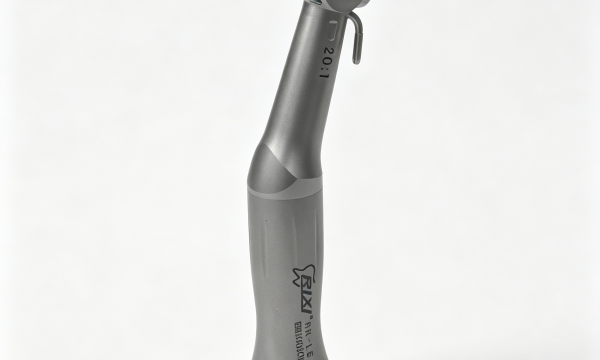
Receiving inspection is the point where a purchase order becomes a physical, accountable shipment. For dental implant instruments and powered equipment, the receiving team should confirm identity, quantity, accessories, condition and document match before products enter storage or clinical handover. This checklist covers procurement controls, not clinical use.

Quarantine the shipment until the receiving record is complete. Check carton and product identity, quantities, accessories, visible condition, compatibility documents and discrepancies, then release accepted items through a named handover process.
Define the receiving scope before delivery
The receiving team needs more than the supplier’s invoice. Prepare an approved reference pack containing the purchase order, exact model and configuration, packing list, accessory schedule, document requirements and any sample-approval record. If the order includes several devices or kits, assign a separate line item and acceptance criteria to each one.
This page is deliberately different from a pre-order procurement guide. The implant instrument compatibility buyer guide supports option selection, while this checklist begins after the order is placed and goods arrive.
1. Record shipment condition before opening
Identify the shipment, delivery date, carrier reference and receiving location. Photograph all sides of the outer cartons before unpacking when there is visible crushing, puncture, moisture, broken sealing or other damage. Note whether the number of cartons agrees with the shipping documents.
Do not treat carton condition as proof of product condition. A clean carton can contain a configuration error, while an affected carton may still protect the product. The receiving record should separate external packaging observations from the inspection of the item inside.
| Inspection stage | Check | Evidence to retain |
|---|---|---|
| Arrival | Carton count, labels, seals and visible damage | Dated receiving record and photographs |
| Identity | Product name, model, version and power option | Label matched to purchase specification |
| Contents | Quantity, accessories, cables, adapters and trays | Checked packing list |
| Documents | Instructions, compatibility and processing information | Document title, language and revision |
| Condition | Housing, display, controls, connectors and finish | Exception notes with item references |
| Disposition | Accepted, quarantined or conditionally accepted | Named approver and closure record |
2. Match product identity to the order
Compare the model name and code on the product, carton, packing list and instructions. Where the product carries a serial or batch identifier, record it exactly as shown. Confirm the ordered power version, charger or cable type where applicable. Similar-looking devices should not be accepted against an informal family name.
If a label, manual or invoice uses a different model description, do not rewrite the receiving record to make it fit. Log the mismatch and ask the supplier to reconcile the documents. The implant instrument documentation and traceability guide explains how to maintain the model-linked document pack after acceptance.
3. Count and identify every supplied component
Open the shipment in a controlled area and compare each item with the packing list. Count drivers, adapters, handpieces, cables, chargers, trays, tips, tools and other included accessories individually. Record optional items separately from standard contents so a later support case can identify what was actually supplied.
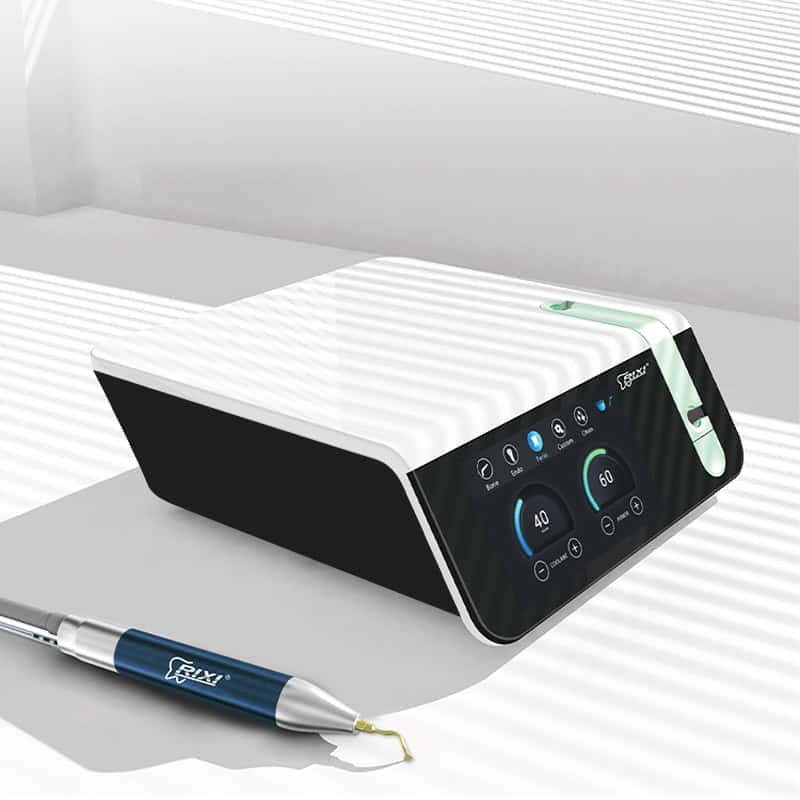
For a powered system such as a dental piezo surgery unit, check that the main unit, handpiece, cable, foot control, irrigation-related parts and other listed accessories match the exact configuration. This is an inventory check only; functional and clinical evaluation should follow the current instructions and qualified responsibilities.
4. Inspect visible condition without making unsafe tests
Look for cracked housings, bent connectors, loose components, damaged insulation, scratched displays, contamination, missing protective caps or finish damage. Check that moving controls do not appear broken and that accessories fit their designated storage positions. Do not energize equipment with visible damage or an uncertain electrical configuration.
Receiving personnel should not improvise functional tests. If commissioning is required, define who is qualified to perform it, what instructions apply and what test record must be completed. Keep the receiving inspection separate from clinical validation.
5. Verify the document pack and compatibility record
Confirm that the shipment includes or references the current operating, cleaning, disinfection, sterilization, storage and maintenance information applicable to the item. Record document titles, language and revision rather than simply writing “manual included.” If documents are supplied electronically, note their controlled location and access owner.
Review the compatibility statement for the exact instrument, driver, adapter or system interface. Receiving inspection does not determine clinical suitability, but it can verify that the promised compatibility evidence is present and linked to the delivered model. Any “universal” claim should have a documented scope and limitations.
6. Create a clear discrepancy record
Every discrepancy should identify the purchase-order line, affected model, quantity, observed condition and required next action. Attach labeled photographs and copies of conflicting documents. Avoid broad messages such as “items wrong” or “accessories missing,” which slow supplier review.
Assign one of three dispositions:
- Accepted: identity, contents, condition and records meet the receiving criteria.
- Quarantined: the item is held and not released until evidence or correction is reviewed.
- Conditionally accepted: a documented minor exception is accepted by the authorized buyer with a defined closure action.
The authorized buyer—not the delivery driver or an unassigned staff member—should approve the disposition. Do not discard damaged packaging or return goods until responsibilities and shipping instructions are confirmed.
7. Release accepted items through handover
After acceptance, update the equipment or inventory register and transfer current instructions, compatibility records and support contacts to the responsible team. Identify the storage location, owner and any pending commissioning or training tasks. For a larger clinic project, use the dental implant equipment planning and clinic handover guide to coordinate room workflow, storage and responsibilities.
Distributors should also connect accepted goods to their sellable SKU, carton and label records. The implant equipment distributor package checklist covers those downstream controls.
Receiving inspection form fields
- Purchase order and shipment reference
- Receiving date, location and inspector
- Model, version, quantity and identifiers where present
- Accessory count and packing-list result
- Visible-condition observations
- Document titles, language and revisions
- Compatibility record received or missing
- Discrepancy number, photographs and owner
- Final disposition and authorized approval
- Handover location and responsible team
Keep the form proportionate to the order. A small reusable instrument set and a powered equipment package may require different detail, but both need clear identity and disposition. The RIXI Medical company page provides supplier context, and the buyer FAQ addresses general cooperation questions. Model-specific receiving evidence should still be requested for the actual order.
Frequently asked questions
Who should perform receiving inspection?
A named person familiar with the purchase specification should lead it. Technical or clinical staff may be needed for later commissioning, but receiving responsibilities should be defined before delivery.
Should damaged goods be powered on to see whether they work?
Not without an approved, qualified process. Visible damage or uncertain electrical configuration should trigger quarantine and supplier review.
What if accessories arrive in a separate carton?
Keep the shipment open in the receiving record until all linked cartons and line items are reconciled. Record partial receipt clearly.
Can an item be accepted with a missing document?
The authorized buyer should decide based on the agreed criteria and risk. If conditional acceptance is used, name the missing record, owner and closure date and restrict release when appropriate.
This checklist supports purchasing, receiving and handover controls. Use current manufacturer instructions, local requirements and qualified personnel for commissioning, processing and clinical use.
Prepare a shipment-specific receiving record
Send the exact model list, configuration and document requirements before dispatch. Ask RIXI Medical to align the packing and model records with the approved order.
Review the document-pack guideNeed Dental Equipment Pricing or Configuration Details?
Contact RIXI Medical for model comparison, distributor pricing, packaging information, OEM/ODM requirements and after-sales support.
Request Product Information