Dental imaging purchases often go wrong at the handoff points rather than at the device itself. A generator may arrive without a clearly defined sensor package, a camera may depend on a display interface the clinic did not plan for, or a scanner workstation may be delivered before the buyer has agreed how files will be stored and transferred. For a clinic, distributor, or project team, the useful comparison is therefore not simply “which unit has more features?” It is “how will each component move an image from capture to the correct workstation, record, and service process?”
This guide explains how to compare dental imaging equipment as a connected workflow. It covers portable X-ray units, USB intraoral sensors, intraoral cameras, and digital scanners without assuming that every model or market uses the same software, accessories, or installation conditions. Exact specifications should be confirmed in the supplier’s current quotation and technical documents.
Define the equipment role before collecting quotations
Begin with a one-page use statement for every item. Name the room or mobile cart where it will be used, who will operate it, what it must connect to, and where the resulting files must go. This prevents a quotation from being judged on a product name alone.
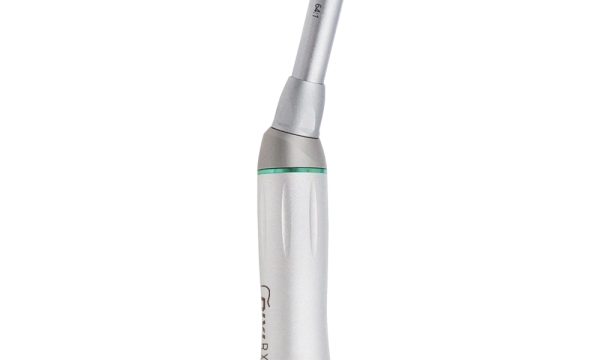
For example, a handheld portable dental X-ray unit is the exposure source; a USB intraoral X-ray sensor captures the image and relies on a compatible computer and software environment. An intraoral camera with a monitor supports visual examination and communication, while an intraoral scanner produces a different type of digital file and workflow. These items should not be treated as interchangeable simply because they all appear under “imaging.”

Freeze the capture-to-record workflow
Draw the workflow as a short sequence: device, connection, acquisition software, review station, record system, export location, and backup. Assign an owner to each step. This simple diagram exposes missing responsibilities before the purchase order is issued.
Ask the supplier to identify which elements are included, which are optional, and which must be provided locally. A quotation should make clear whether a computer, monitor, cable set, software installer, licence, calibration accessory, positioning accessory, or transport case is part of the package. If a local IT contractor will connect the system to the clinic network or practice software, obtain that contractor’s compatibility requirements before approving the configuration.
Questions for the software and data handover
- Which operating-system versions and minimum workstation specifications apply to the quoted configuration?
- What image or scan file formats can be exported, and does export require a separate step or licence?
- How are users, workstations, and devices identified when several rooms share the same system?
- Who provides the installer, updates, recovery media, and administrator credentials required for an authorized handover?
- What should be backed up locally, and who is responsible for testing recovery?
These are procurement and IT questions, not a promise that a device will integrate with every clinical record system. Interfaces, software versions, privacy obligations, and local requirements vary. Confirm the final design with the supplier, the software vendor, and locally qualified IT and clinical personnel.
Compare interfaces and package boundaries
A clear interface schedule is more useful than a long feature list. Record the connector at both ends, required cable length, power source, network dependency, display output, accessory count, and any model-specific adapters. Photograph or label each interface during receiving so that service staff can identify the delivered configuration later.
| Equipment type | Confirm before ordering | Useful receiving evidence |
|---|---|---|
| Portable X-ray unit | Power or charging arrangement, included exposure accessories, intended sensor or film workflow, storage and transport method | Model label, charger and cable set, accessory list, exterior condition, operating documents |
| USB intraoral sensor | Connector type, workstation requirements, acquisition software, sensor size options, protective and positioning accessories | Sensor and cable condition, software package, accessory count, identification label, test workstation record |
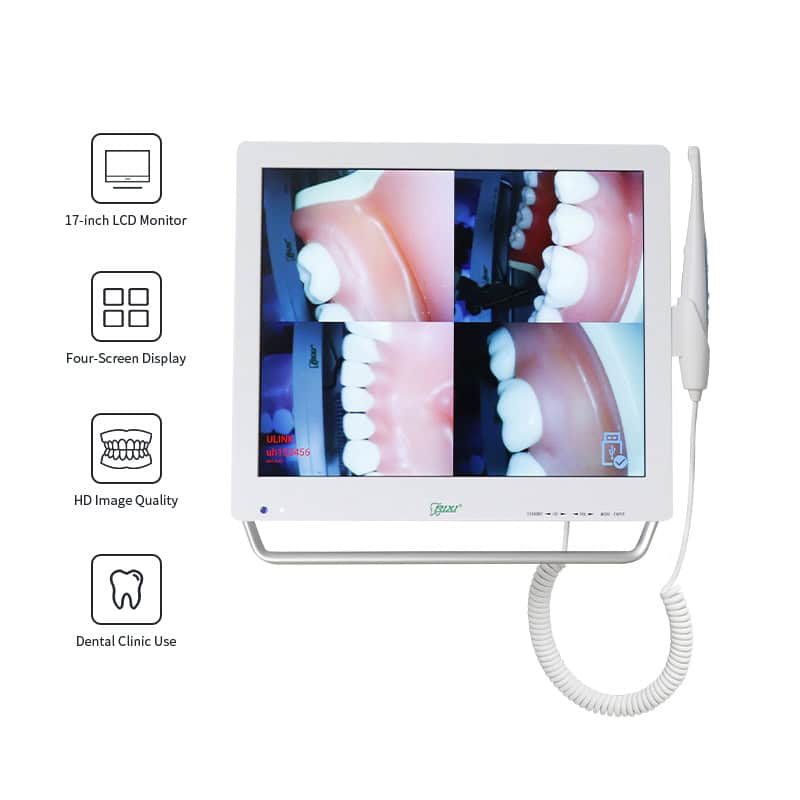
| Intraoral camera | Display connection, image capture method, included monitor or workstation, handpiece holder and cable routing | Video/display test, button response, monitor and cable inventory, image-save demonstration |
| Intraoral scanner | Workstation and cart scope, tip and accessory package, software account or licence conditions, file-export workflow | Delivered hardware list, software access record, sample export, accessory serial or batch references where provided |
Plan power, movement, cleaning, and service access
Equipment that works on a demonstration bench may be awkward in a treatment room if the project has not planned reach, parking, and access. Check the intended outlet location, available counter or cart space, cable route, ventilation clearance, and the path used to move equipment between rooms. A portable product also needs a safe storage location and a repeatable charging routine.
Ask which external surfaces and removable accessories are intended to be cleaned between uses, and obtain the manufacturer’s current care instructions. Do not assume that one chemical or process suits every housing, sensor, tip, cable, or monitor. The clinic’s infection-control lead should review the final procedure against the supplier’s documented limitations and local protocols.
Service planning deserves the same attention. Request an exploded-parts reference or service-parts list when available, the procedure for identifying a failed component, and the evidence needed for remote troubleshooting. Confirm whether the supplier expects the distributor, a qualified local technician, or the manufacturer to perform each type of service. Access to connectors, power supplies, computers, and cable routes should not require dismantling unrelated cabinetry.
Build a receiving and handover file
Use the purchase specification as the receiving checklist. Record the product and accessory names, quantities, visible identification labels, package condition, software media or download instructions, and the person who accepted the handover. Where a functional check is appropriate, document the workstation used, the connection made, and whether a sample capture or export was completed. Do not substitute a visual check for any testing or acceptance process required by the manufacturer or local rules.
For multi-room or distributor shipments, reconcile every carton against a room or customer allocation before installation. Keep charger, cable, licence, and accessory records with the correct device. This is especially important when several similar packages are shipped together but have different workstation or software assignments.

A practical quotation checklist
- Scope: product model, quantity, included hardware, accessories, software, documentation, packaging, and optional items.
- Workflow: capture method, workstation, display, storage, export, backup, and record-system responsibilities.
- Interfaces: power, charging, cables, connectors, network dependency, operating system, and display outputs.
- Site plan: room or cart allocation, reach, parking, movement path, cable management, ventilation, and service clearance.
- Handover: receiving evidence, functional checks, software access, operator documents, cleaning instructions, and service contacts.
- Change control: named approval process for substitutions, version changes, or accessories that differ from the quotation.
RIXI Medical is a dental equipment manufacturer and supplier based in Foshan, China. Buyers comparing an imaging package can also use the broader dental equipment buying guides and review available technical support information. For a quotation, request a configuration sheet that separates included items from options and identifies the intended workflow.
Scope note: This article provides general procurement and handover guidance. It is not clinical, electrical, IT-security, or regulatory advice. Confirm model-specific specifications with the supplier and have the final installation and operating process reviewed by appropriately qualified local professionals.
Frequently asked questions
Should a clinic buy the X-ray source and sensor from the same supplier?
Not necessarily, but the buyer should obtain written confirmation of the intended configuration, physical interfaces, software environment, and responsibilities for setup and support. A shared supplier can simplify coordination, but it does not replace a compatibility check.
What is the most important document for comparing imaging quotations?
A line-by-line configuration schedule is usually more useful than a brochure. It should list the exact model, included hardware and accessories, software scope, workstation requirements, interfaces, documents, and exclusions.
How should a distributor prepare for a mixed imaging shipment?
Allocate every device, accessory, cable, charger, software record, and document set to its final customer or room before dispatch. Use labels and carton-level reconciliation so similar packages are not mixed during installation.
Can a buyer assume that exported files will open in existing software?
No. File format alone does not prove that the receiving system, version, licence, or workflow will accept it. Ask for a documented export method and validate a sample with the intended software owner before final acceptance.
To compare a specific imaging configuration, request specifications and a package breakdown from RIXI Medical, including the intended workstation, software, accessory, and handover scope.
Need Dental Equipment Pricing or Configuration Details?
Contact RIXI Medical for model comparison, distributor pricing, packaging information, OEM/ODM requirements and after-sales support.
Request Product Information