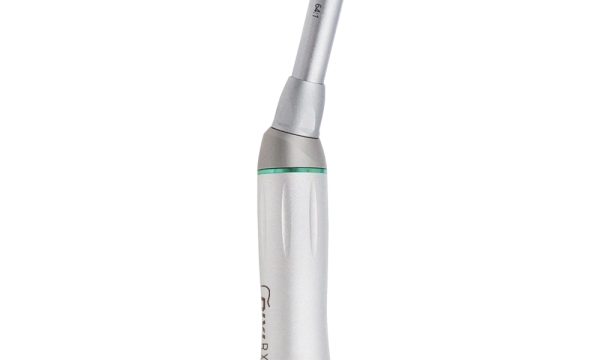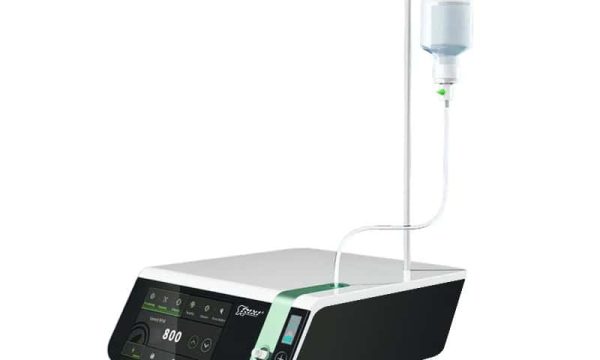
A veterinary dental cart may look ready to roll when it arrives, yet the project can still stall if the treatment room cannot supply the interfaces the quoted configuration expects. Power, air, water, suction or waste handling may be built in, externally connected or excluded altogether. The product name alone does not answer that question.
This guide helps veterinary clinic owners, equipment distributors and procurement teams build a veterinary dental cart utility interface checklist before purchase. It focuses on drawings, connection points, package boundaries and receiving evidence. It does not prescribe clinical procedures, and every model-specific specification should be confirmed with the supplier.
Start with a one-page utility matrix
Before comparing prices, ask the supplier to map every function in the proposed package. A useful matrix separates what the cart contains, what the facility must provide and what remains optional. This prevents a familiar procurement problem: one team assumes a function is onboard while another assumes it will come from the room.
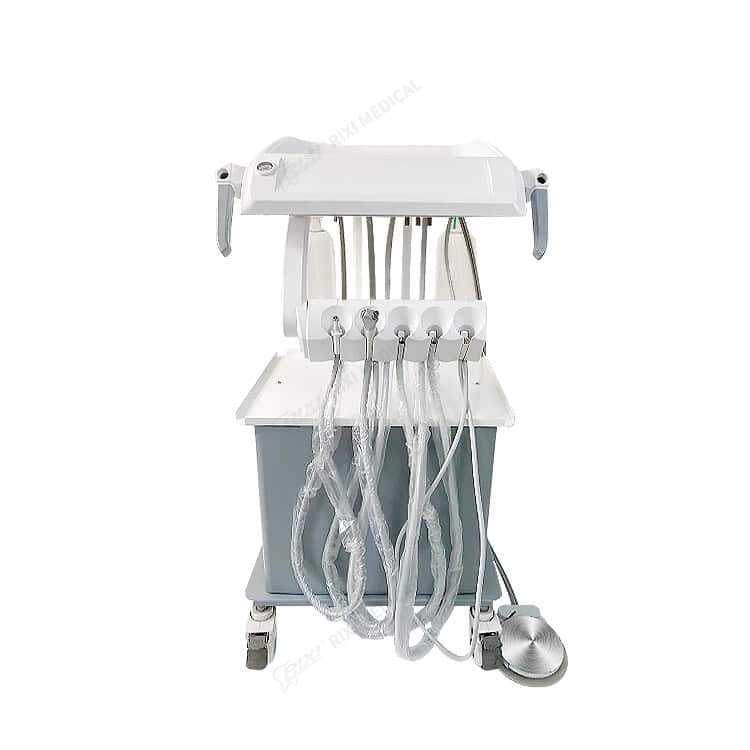
The RIXI mobile veterinary dental cart unit is presented for mobile dental treatment support in pet clinics and veterinary dental care. That statement defines the product family, but it does not replace a model-linked configuration sheet. Buyers should request the current specification, included-component list and utility diagram for the exact quotation.
| Interface to confirm | Buyer question | Evidence to request |
|---|---|---|
| Electrical supply | What input does the quoted configuration require, and which components need power? | Rating-label copy, electrical specification, plug or connector description and approved operating instructions. |
| Compressed air | Is air generated onboard or supplied externally? Where is the connection point? | Utility diagram, connection type, supplier-stated operating range and responsibility boundary. |
| Water or fluid supply | Is the supply internal, external or not included? How is the container or line accessed? | Configuration drawing, included containers or tubing, refill/access instructions and compatible consumable references. |
| Suction or waste handling | What is included, where does waste go, and what must the facility provide? | Flow diagram, included hoses or containers, connection details and cleaning/maintenance instructions. |
| Foot control and tubing | Which functions are controlled, and are all lines included in the package? | Labeled photograph, accessory list, tubing identification and assembly instructions. |
| Optional instruments | Which handpieces or accessories are standard, selectable or excluded? | Line-by-line quotation, compatibility statement and approved substitution list. |
Do not fill gaps with assumptions based on a photograph. Similar-looking carts can have different internal layouts, connections and accessory scope. For any item that affects installation or local compliance, ask a locally qualified professional to review the supplier’s current documents.
Trace each connection from the room to the working point
A utility drawing is most useful when it shows the complete path. Mark the wall outlet or facility connection, the cart inlet, any hose or cable, the control point and the working outlet. Add connector names, required clearances and access for inspection. If a connection will be made and disconnected frequently, ask how it is protected when the cart moves.
This exercise also reveals responsibility gaps. The equipment supplier can identify the cart interface and provide model documentation. The clinic’s project team must confirm the building services, room layout and local installation requirements. The installer or technician should work from approved documents rather than from an image or a generic product description. RIXI Medical’s technical support page explains the value of supplying the exact model, utility schedule and installation drawing when raising an equipment question.

Test mobility with the utilities attached
“Mobile” should describe the intended workflow, not an assumption that the cart can be moved in every condition. Define whether the cart will move only for cleaning, between treatment positions or between rooms. Measure doorways, turns, thresholds and the planned parking location. Then repeat the review with hoses, cables and accessories shown at their real working length.
Look at where lines exit the cart and whether they can touch a caster, become pinched at a corner or create a trip path. Confirm how the cart is parked and stabilized before use. If a utility must be disconnected before movement, include that action in the handover instructions. The broader mobile dental cart buying guide covers general movement, power and service planning; this veterinary checklist narrows the decision to utility interfaces and quoted package boundaries.
Define cleaning and service boundaries in writing
The cart, its hoses and any onboard containers may not share the same cleaning method. Ask the supplier which surfaces and removable parts are intended for routine cleaning, which agents or methods are permitted for the exact model, and how users reach areas behind panels or around tubing. The clinic’s qualified team should set clinical cleaning procedures according to local requirements; the supplier’s role is to provide product-specific instructions and material limitations.
Service planning should identify access panels, filters, seals, tubing and commonly replaceable components. Request part numbers where available and record whether a local technician, distributor or supplier handles each task. A clear service boundary matters for distributors as well: the sales package should not promise a component, consumable or support action that is absent from the approved configuration.

Use a three-stage receiving check
1. Confirm identity and package scope
Match the model, serial or batch reference where applicable, rating label and packing list to the purchase order. Count the supplied hoses, controls, containers, adapters and accessories. Photograph the unopened package, labels and each layer of the unpacking process. Record shortages or substitutions before the equipment is assembled.
2. Inspect before connecting utilities
Check the cart body, casters, locks, handles, tubing and connectors for visible shipping damage. Verify that lines are labeled consistently with the manual or diagram. Confirm that detachable parts fit their intended locations without forcing a connector. This dry inspection is not a substitute for commissioning; it is a way to identify obvious discrepancies before they become harder to trace.
3. Commission against approved documents
Have an appropriately qualified person connect and test the supplied configuration using the current instructions. Record the utility source, connection points and result for each agreed function. If the specification, label or delivered accessory differs from the approved order, stop and clarify the discrepancy rather than improvising an adapter or undocumented combination.
Control distributor and OEM/ODM configurations
For a distributor, one product name may cover several sellable packages. Create a configuration code for each approved combination and link it to photographs, labels, manuals, accessories and packing instructions. When a hose, controller, instrument or carton changes, review the affected documents before accepting the revision. This makes repeat orders easier to reconcile and reduces accidental mixing of components.
RIXI Medical is a dental equipment manufacturer and supplier based in Foshan, China. Buyers exploring the wider product family can compare the dental mobile cart category and a standard mobile dental delivery cart, but exact specifications and included items must be confirmed for the selected veterinary configuration.
Frequently asked questions
Does a veterinary dental cart include air, water and suction?
Not necessarily. Inclusion varies by model and quotation. Ask for a utility diagram and line-by-line included-component list instead of inferring functions from the product title or image.
What should be measured before ordering?
Measure the travel route, parking area and working clearance, then add the space required by hoses, cables, controls and open service panels. Confirm connection locations against the current drawing.
Can a veterinary cart share accessories with a standard dental delivery cart?
Only when the supplier confirms the exact interface and approved compatibility. Similar appearance or connector shape is not sufficient evidence for substitution.
What is the minimum distributor handover pack?
Keep the approved configuration sheet, specification, utility drawing, packing list, operating and cleaning instructions, spare-parts references, labeled photographs and a receiving checklist tied to the same model code.
Request the exact utility and package documents
For a veterinary clinic project or distributor program, ask RIXI Medical for the current specification, utility drawing, included-component list and OEM/ODM scope for the quoted cart configuration.
Need Dental Equipment Pricing or Configuration Details?
Contact RIXI Medical for model comparison, distributor pricing, packaging information, OEM/ODM requirements and after-sales support.
Request Product Information