Scope note: This is a sourcing and project-planning guide, not clinical or regulatory advice. Confirm equipment specifications, local imaging requirements, room procedures and staff training with the supplier and appropriately qualified local professionals.
Plan portable dental X-ray expansion around workflow, not a product list
Adding portable dental X-ray capability can change how a clinic schedules imaging, prepares rooms, manages accessories and hands equipment over between team members. The useful first question is not simply which device to buy. It is where the device will be stored, who will be responsible for it, how imaging will connect to the existing workflow, and what documentation must be available when the equipment arrives.
For a clinic owner, contractor or distributor planning an expansion, the decision should join operational requirements with a clear supplier handover. RIXI Medical can provide product information for dental X-ray equipment; the final configuration and local compliance checks should be confirmed for the intended site.

Start with an expansion brief
Before requesting a quotation, write a short expansion brief that the clinic, project manager and supplier can all use. It prevents an order from being built around assumptions that are discovered only after delivery.
- Workflow owner: name the person who will coordinate receipt, storage, routine checks and supplier questions.
- Use setting: describe the intended rooms, existing imaging workflow and whether equipment will move between locations.
- Digital pathway: list the current computer, sensor or image-management interfaces that must be checked for compatibility.
- Support route: define who receives manuals, troubleshooting contacts, spare-part information and training materials.
- Site constraints: identify local rules, access routes, secure storage and any project milestones that affect delivery or commissioning.
This brief is deliberately different from a product comparison. It is the record used to coordinate the clinic, distributor, installer and supplier before the equipment is accepted.
Questions to settle before the order is released
| Project area | What to request or confirm | Why it matters |
|---|---|---|
| Configuration | Written description of the proposed configuration and included accessories | Reduces uncertainty about what is expected in the shipment. |
| Documentation | Current product manual, packing list, technical data available from the supplier and service-contact route | Supports a structured receiving and handover process. |
| Digital workflow | Compatibility questions for the clinic’s existing imaging components and computers | Helps the buyer identify integration questions early rather than assuming interchangeability. |
| Service access | Routine care guidance, replaceable items and the process for obtaining technical support | Lets the clinic assign responsibility after delivery. |
| Site readiness | Local safety, storage and operating requirements reviewed by qualified local parties | Requirements vary by jurisdiction and by the intended setting. |
Build the handover around accountable people
Portable equipment often crosses departmental boundaries. A purchasing contact may receive the shipment, while a different team member uses it, and a distributor may provide the first support contact. Record the handover as a simple responsibility map: who checks the cartons, who confirms the configuration, who retains the documents, and who raises a discrepancy.
At receipt, compare the physical delivery with the agreed packing list rather than relying on a general product name. Photograph any visible transit concern, keep the packaging until the receiving check is closed, and give the responsible contact one complete document set. These are ordinary procurement controls, but they are especially useful when equipment is ordered as part of a wider clinic expansion.
Keep portable and fixed imaging decisions separate
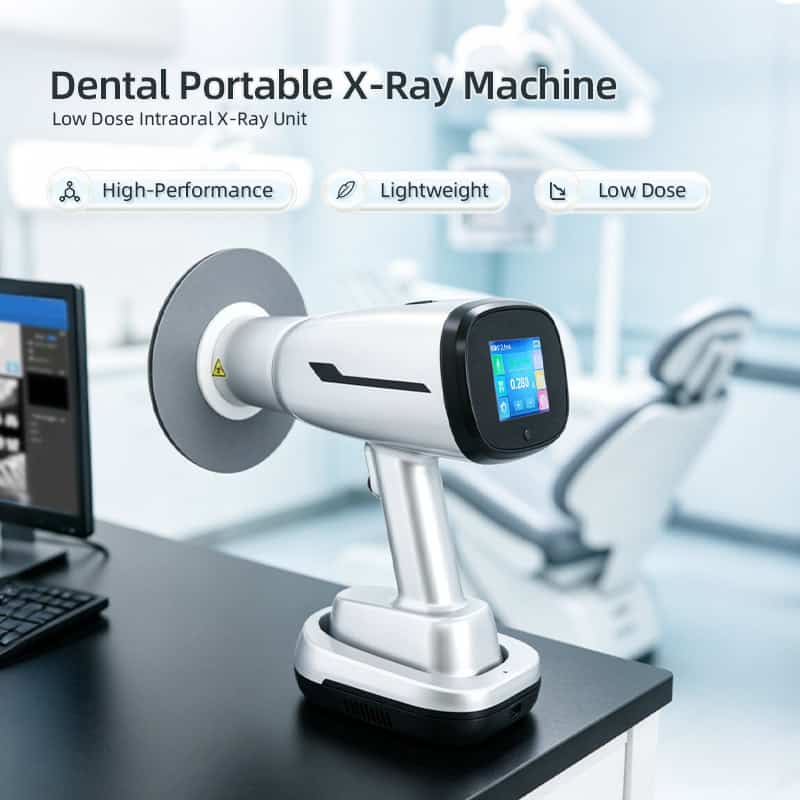
A portable device does not automatically replace every fixed imaging option. A project team may still need to consider room-based imaging and the existing digital capture workflow. When reviewing alternatives, use the product pages for a wall-mounted dental X-ray machine, a USB dental X-ray sensor and a portable X-ray machine with digital display as starting points for questions—not as proof that one configuration fits every clinic.
The planning outcome should be a documented workflow choice: the equipment selected, the intended use setting, named owners for handover and support, and open questions that need local confirmation. This is much more useful to an expansion project than a generic “best portable X-ray” list.
Prepare a simple commissioning record
Before the project is closed, keep one dated record that identifies the approved configuration, receiving check, document location, named owner and open questions. It does not replace installation or safety procedures. It gives the clinic and its supply partner a shared reference if a part, manual or support clarification is needed later. Where a distributor is involved, agree in advance which enquiries remain with the distributor and which are escalated to the manufacturer. This small record is particularly useful when a clinic is expanding in phases or when several people share purchasing responsibilities.
FAQ
What should a clinic request from a supplier before approving the order?
Request the proposed configuration, a clear packing scope, available technical documentation, manuals and the route for service questions. Confirm exact specifications directly with the supplier.
Can a portable X-ray unit be treated as a direct replacement for a wall-mounted system?
That depends on the intended workflow and local requirements. Plan the two options separately and involve appropriately qualified local professionals when defining the use setting.
Who should own the receiving and handover process?
Assign one accountable clinic or project contact, with named support contacts at the distributor or supplier. The owner should keep the approved configuration and receiving record together.
How can a distributor support a clinic expansion?
A distributor can help coordinate configuration questions, document handover and the route for after-sales support, while avoiding assumptions about site-specific requirements.
Request a project-ready equipment brief
For specifications, available configuration information, packing scope or distributor cooperation, contact RIXI Medical with the clinic’s workflow and project timeline. This makes it easier to prepare a reviewable equipment brief before ordering.
Need Dental Equipment Pricing or Configuration Details?
Contact RIXI Medical for model comparison, distributor pricing, packaging information, OEM/ODM requirements and after-sales support.
Request Product Information