A display marked “digital” does not establish that an autoclave can export cycle records. Buyers may discover this only after delivery, when they try to connect the machine to a printer, retrieve an earlier record or move data into a clinic archive. Record handling deserves its own procurement demonstration.
This guide helps clinics and distributors evaluate the recording interface of a proposed dental autoclave. It does not define sterilization acceptance criteria or the records a jurisdiction requires. The clinic and qualified local reviewers must establish those requirements before the equipment is shortlisted.
Describe the record you need before choosing an interface
Write down the clinic’s actual information requirement. Distinguish a record displayed during operation, a saved history on the machine, a printed output and a file exported for storage elsewhere. These are separate capabilities. A USB socket, screen icon or sales description is not evidence that all four are available.
Ask the supplier to identify the exact model, controller version and optional accessories used in its demonstration. If the product is described as a digital tabletop sterilizer, request written confirmation of its recording functions rather than assuming that “digital” describes connectivity.
Make the supplier demonstrate a complete record journey
Agree a demonstration covering creation, identification, retrieval and export of a sample record. The demonstration should use the supported operating procedure, with a suitably qualified person responsible for the equipment. Procurement staff should not invent a test cycle or adjust process parameters for the purpose of a connectivity check.
Ask what identifies the machine and the individual record. Check how a reviewer distinguishes an illustrative sample from a record belonging to the delivered unit. If timestamps are used, establish how the clock is set and what happens after a power interruption or controller replacement. Do not assume automatic time synchronization.
Next, retrieve an earlier sample through the supported interface. Ask whether the machine stores a limited history and what happens when that history is full. Record what the supplier confirms about retention, overwriting and retrieval. Avoid describing on-device storage as a permanent archive unless its limitations have been evaluated.
Compare output options by their dependencies
| Claimed function | Evidence to request | Hidden dependency to check |
|---|---|---|
| On-screen history | Demonstration of supported retrieval | Storage limits and access after component replacement |
| Printed record | A legible sample from the quoted printer setup | Printer inclusion, connection type and consumable availability |
| Removable-media export | An exported sample and manual instructions | Supported media, file format and export procedure |
| Computer connection | Software and interface documentation | Supported system, licence, driver and update responsibilities |
| Network transfer | Written confirmation for the exact configuration | IT setup, access control, support and ongoing service terms |
Only compare functions the supplier actually offers. The table is a question set, not a specification for every RIXI machine. Where a function is unavailable, record the limitation plainly and let the clinic decide whether an alternative approved arrangement is acceptable.
Open the sample file on the buyer’s system
A file name in an email proves very little. Ask the buyer’s designated reviewer to open a representative export using the intended system and confirm readability. Record the file format, required software and any supplied instructions. Keep the original sample alongside the review notes so later discussions refer to the same evidence.
Check whether identifiers and fields remain understandable after export. An unexplained code may be clear to the manufacturer but unusable to the clinic’s record reviewer. Request a field explanation rather than interpreting abbreviations from appearance alone. Agree how any translation will be checked for technical meaning.
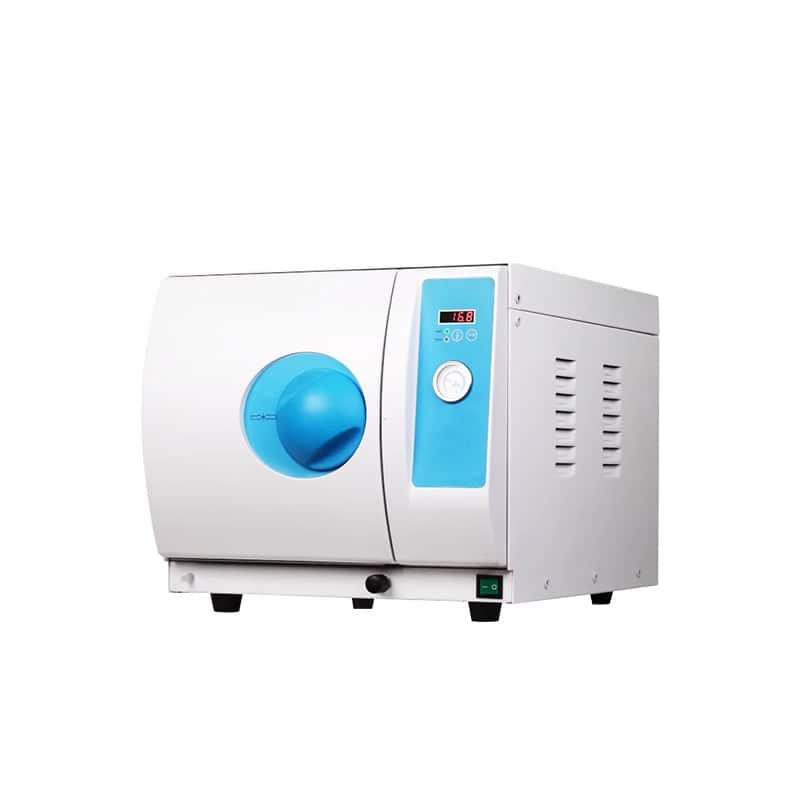
For a tabletop LED-display configuration, confirm the quoted controller and recording options individually. Similar exterior panels or nominal capacities do not establish that two machines generate equivalent records.
Separate equipment records from clinical release decisions
The clinic must determine how equipment records relate to its own monitoring, traceability and authorization procedures. A successful file export is an IT result. It is not proof that a load may be released, that every required field exists, or that the local retention requirements have been satisfied.
Ask whether records can contain information that needs controlled handling. Have the clinic’s IT and privacy owners review storage, access and backup arrangements where applicable. Avoid putting real patient information into a procurement sample or sending it to a supplier merely to demonstrate that a file opens.
Include the approved setup in the purchase record
Specify the accepted recording function, included accessories, software terms and documented limitations. The autoclave quotation comparison checklist helps ensure an optional printer or interface is actually included. Preserve the reviewed sample and demonstration configuration with the order.
Agree who supports the initial setup and how later firmware, controller or software changes are reviewed. The supplier should explain the supported process; the buyer should nominate a local record owner. Neither side should promise indefinite compatibility without a documented basis.
Common buyer questions
Does an LED display mean records can be exported?
No. A display and an export interface serve different functions. Ask for model-specific documentation and a representative demonstration.
Is a USB port enough evidence?
No. Confirm its supported purpose, media requirements, output format and procedure. A physical socket alone does not establish the intended function.
Who decides whether the output meets clinic requirements?
The clinic and appropriately qualified local reviewers must assess that. The supplier provides accurate model information and supported output samples.
Scope: Procurement and interface evaluation only. No recording feature, retention period or clinical suitability is implied for an unverified model.
RIXI Medical supplies dental equipment from Foshan, China. Request a model-specific recording-function review with your required output, intended system and accessory questions.
Need Dental Equipment Pricing or Configuration Details?
Contact RIXI Medical for model comparison, distributor pricing, packaging information, OEM/ODM requirements and after-sales support.
Request Product Information