A dental electric motor can arrive with the correct motor, cable and control unit yet still be difficult to hand over. The unresolved part is often the control logic: which handpiece ratio is selected, what the direction indicator means, what the M1/M2/M3 buttons retain, and which settings must be checked again after power-up. If those decisions stay in a salesperson’s demonstration, the clinic or distributor receives hardware without a repeatable operating record.
This checklist is for clinic owners, equipment buyers and distributors documenting a new motor package. It focuses on configuration, acceptance and user handover—not clinical technique. Exact memory behavior, permitted settings, processing instructions and connected handpieces are model-specific. Confirm them in the current supplier documents and have qualified local personnel review installation and use.
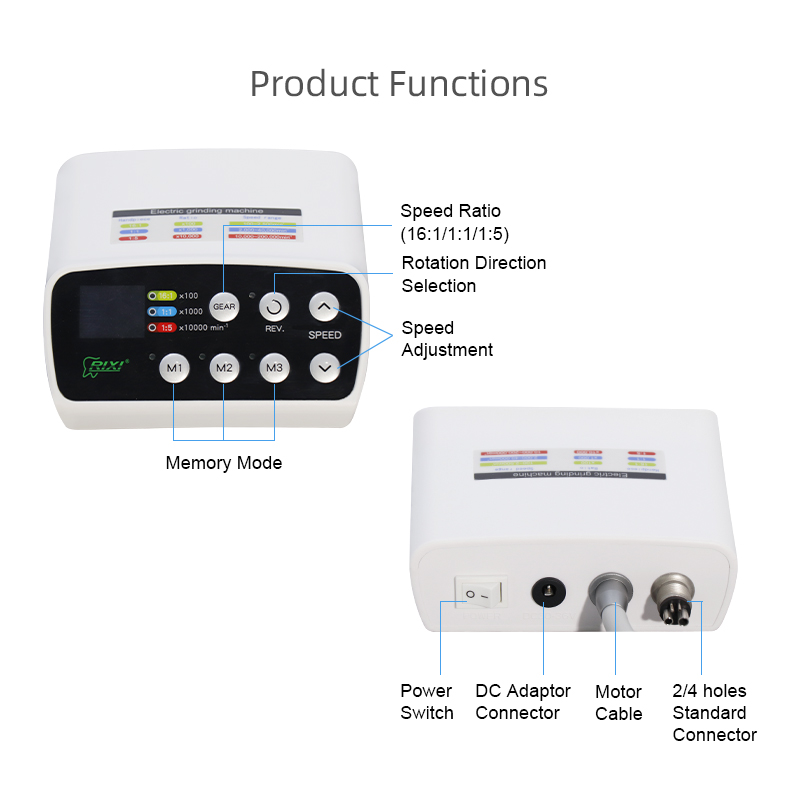
The current RIXI dental electric motor with LED provides a useful example: its product page lists a 2,000–40,000 rpm motor range, selectable 16:1, 1:1 and 1:5 ratio settings, forward/reverse control, speed adjustment, M1/M2/M3 memory buttons, an E-type interface and LED illumination at the motor coupling. Those are model-specific reference points, not universal specifications for every electric motor.
Separate the motor, handpiece and displayed setting
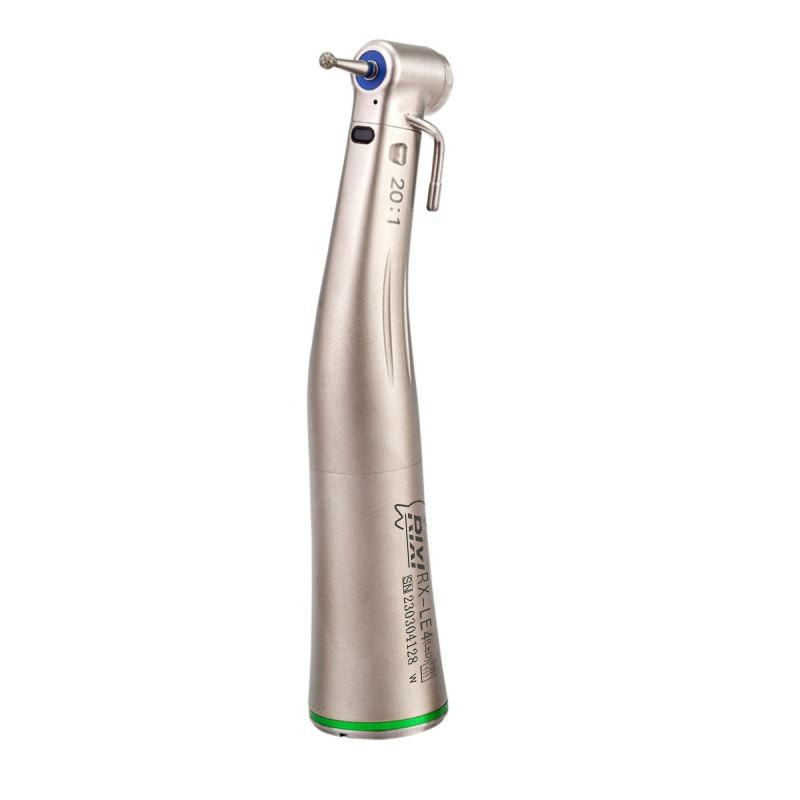
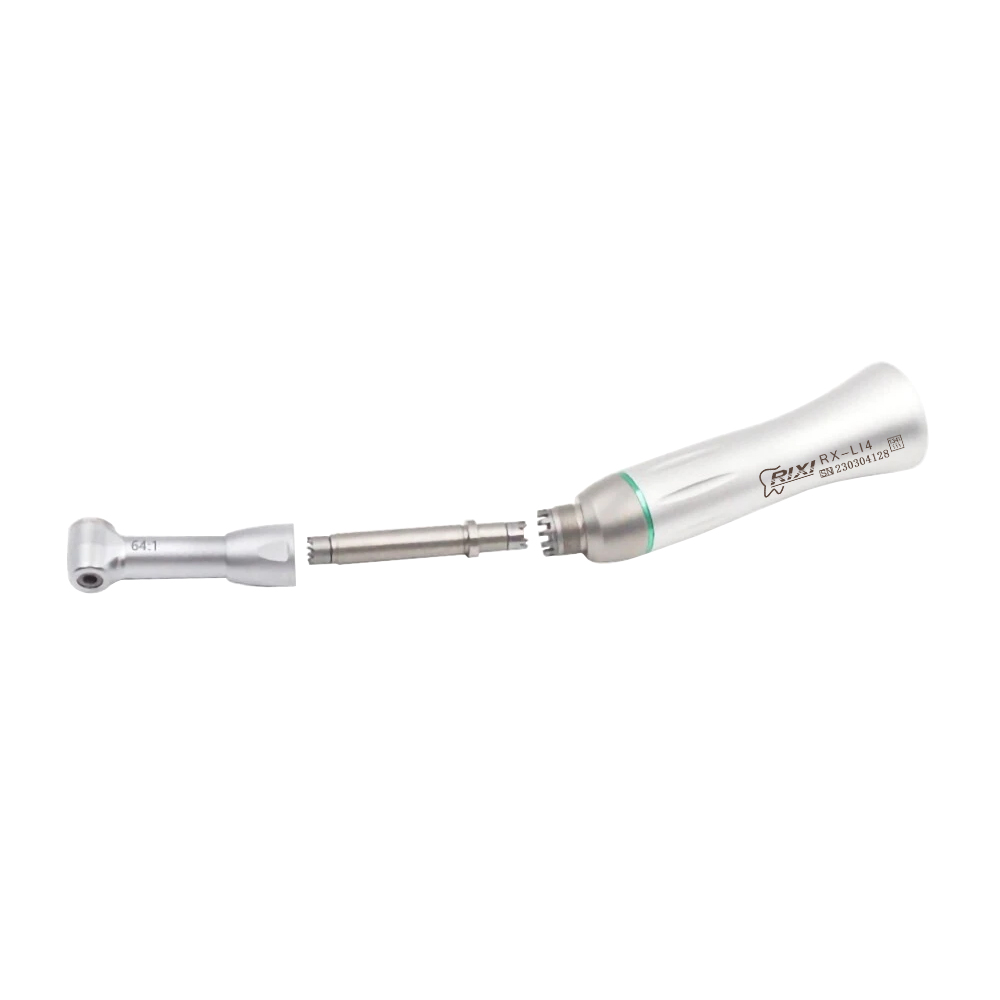
The control panel cannot identify the mechanical ratio of an attached handpiece. Selecting 16:1, 1:1 or 1:5 on a display does not change the gearing inside that attachment. During handover, record the motor model, control-unit revision, connected handpiece model and mechanical ratio as one configuration. A label photo and a connection photo are more useful than a note that simply says “electric handpiece.”
Use the existing electric motor compatibility checklist to confirm E-type pairing, power and ratio logic before training begins. The present article starts after that compatibility decision. Its purpose is to make the approved control setup reproducible for receiving, onboarding and future support.
Define what each memory button is allowed to store
Do not assume that every memory button stores the same fields. One system may retain speed and direction; another may include ratio selection, light state or other settings. A memory may also behave differently after the control unit is switched off. Ask the supplier to state, in writing, which parameters M1, M2 and M3 store, how a value is saved, whether a confirmation appears, and what happens after a power interruption.
Turn that answer into a short memory register. For each button, record the approved handpiece identity, mechanical ratio, displayed ratio, direction state, speed value or range, light state if applicable, reviewer and date. Leave a field blank when it has not been confirmed. A blank field is safer than inventing a default from another model.
| Handover field | Evidence to retain | Buyer check |
|---|---|---|
| Motor and control unit | Model, revision, label photographs | Matches the quotation and packing list |
| Connected attachment | Handpiece model and marked mechanical ratio | Matches the approved pairing |
| Memory content | Supplier description of fields saved by M1/M2/M3 | No behavior inferred from button names |
| Power-cycle behavior | Current instructions or documented demonstration | Saved values are checked after restart |
| Direction and lighting | Indicator meaning and model-specific instructions | Displayed state is clear to the user |
| Release record | Reviewer, date and accepted configuration | Training matches the approved hardware |
Make the ratio label visible in the handover record
Electric motor systems become difficult to manage when several attachments are stored near one controller. A memory name such as “M2” is not a complete identifier. Link each released memory to a photographed handpiece label or controlled inventory code. If an attachment is replaced, review the memory mapping again instead of assuming that a familiar connection proves the same ratio and operating limits.
The contra-angle quote comparison checklist explains why ratio, motor interface, head configuration and supplied package need separate fields. For a purchasing team, this separation also prevents a training sheet from becoming an unauthorized compatibility statement.
Check direction and light without turning them into generic presets
Forward/reverse and LED controls are easy to demonstrate but easy to document poorly. The handover sheet should identify how direction is displayed, how a change is confirmed and whether a memory is allowed to retain that state. Do not create a universal preset for clinical use. The appropriate settings and permitted use depend on the connected equipment, its instructions and qualified local practice.
For lighting, record the physical path as well as the button state. The current RIXI example places LED illumination at the motor coupling, but a connected handpiece still needs a compatible light path. A lit indicator does not prove that illumination reaches the working end. Note what was connected during the check and treat any different attachment as a new configuration to review.
Run a controlled power-cycle and changeover check
A receiving check should be repeatable and limited to documented, non-clinical functions. Start with the identified motor, control unit, cable and approved attachment. Under the supplier’s instructions, confirm that the panel powers on, buttons respond, indicators are legible and the selected memory shows the expected recorded values. Switch off and restart only if the current instructions permit that step, then compare the displayed state with the approved memory register.
Next, change to another approved attachment only when its compatibility is already documented. Confirm that staff can identify the new ratio before selecting a memory. The purpose is not to set treatment parameters; it is to reveal whether the handover process prevents a stored display setting from being paired with the wrong mechanical attachment.
Photograph the final panel state and connected handpiece, and record any unexplained behavior as an open item. Do not close a discrepancy by copying settings from another unit. Route it through the supplier’s documented support channel or the RIXI technical support page.
Give distributors a revision-controlled training pack
A distributor’s first sample often becomes the reference for later shipments, so the handover file should survive personnel changes. Keep the approved memory register, labelled control image, handpiece mapping, current manual, packing list, accessory list and a dated record of unresolved questions. If the supplier changes firmware, panel labels, included adapters or the handpiece range, open a new revision rather than editing the old record without traceability.
Procurement teams can review the wider dental handpiece category and the low-speed handpiece range when building the model list. The purchase order should still name the exact approved components; a category page cannot replace a controlled configuration.
Questions to close before acceptance
- Which exact parameters can each memory button save?
- Do saved values remain after power is removed, and how is that verified?
- Which handpiece model and mechanical ratio belong to each released memory?
- How are direction, ratio and light states shown on the panel?
- Which parts, adapters and instructions are included in the quoted package?
- What change triggers a new review: attachment, cable, controller, firmware or supply configuration?
RIXI Medical is a dental equipment manufacturer and supplier based in Foshan, China. Buyers can use the contact page to request the current motor specification, control-panel photographs, package list and model-specific handpiece compatibility details. Include the intended attachment models and required order quantity so the response can be tied to a defined configuration.
Frequently asked questions
Do M1, M2 and M3 always store speed, ratio and direction?
No universal behavior should be assumed. Ask what each memory stores on the quoted model, how values are saved and whether they remain after power is removed. Record only the fields supported by current supplier documentation.
Can selecting 1:5 on the panel convert a 1:1 handpiece?
No. A panel selection does not change the attachment’s mechanical gearing. The displayed ratio must be matched to an already approved handpiece, and the permitted combination should be confirmed in the current documentation.
Should a distributor ship one preset sheet for every motor package?
Only if the hardware, control revision, included attachment and supplier instructions are the same and the sheet is controlled by revision. Any change to those elements should trigger a review before the document is reused.
What evidence should be kept after handover?
Retain the motor and handpiece identities, ratio markings, memory register, labelled control image, applicable instructions, accepted package list, reviewer and date. Keep unresolved issues separate from the released configuration.
Need Dental Equipment Pricing or Configuration Details?
Contact RIXI Medical for model comparison, distributor pricing, packaging information, OEM/ODM requirements and after-sales support.
Request Product Information