A dental chair ergonomic fit test helps a buyer decide whether a specific chair configuration suits the clinicians, assistants and treatment rooms that will use it. It is different from reading a feature list. A thin backrest, articulated headrest or programmable control may be useful, but the result depends on how those components work together for real users.
This guide provides a repeatable sample-evaluation method for clinics, distributors and procurement teams. It does not diagnose or prevent injury, and it does not replace occupational-health advice. Use it to document reach, access, posture options, controls, patient positioning and service constraints before approving a model or bulk order.
Separate this fit test from a general ergonomics review
The site’s broader dental chair ergonomics guide explains common design considerations. This page has a narrower procurement intent: how to compare a sample unit, record the result and decide whether the quoted configuration is acceptable.
Do not use one clinician’s preference as the only decision criterion for a multi-user clinic. Include the shortest and tallest intended users where practical, left- and right-handed clinicians if they share rooms, and the assistants who will handle instruments or suction. Note which procedures and working positions the test represents.
Prepare the test before anyone sits down
- Confirm the sample’s model, revision, upholstery, headrest, armrests, delivery system, light, foot control and optional modules.
- Obtain the current dimension drawing, movement limits and adjustment instructions.
- Place the chair in a space that reflects the proposed room, including cabinets, stools, carts and monitor positions.
- Use the normal instrument load so hoses, holders and trays behave realistically.
- Create one score sheet for every tester and record their role, handedness and relevant working positions.
- Define pass, conditional pass and fail criteria before the demonstration.
The more general dental chair sample-evaluation checklist can be used alongside this ergonomic test for documentation, finish, utilities and supplier follow-up.
Chair-side fit-test sequence
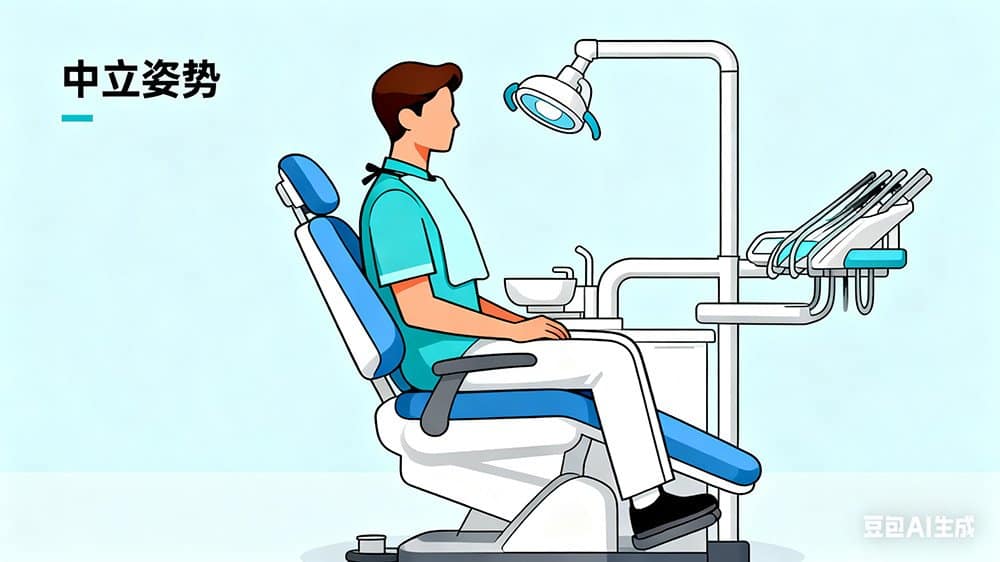
1. Establish a neutral starting position
Ask the operator to adjust the stool, then position the patient chair for a common procedure. Observe whether the operator can approach the oral cavity without the backrest, chair base or armrest blocking their preferred leg position. Record the chair height and patient orientation used; a comfortable result at one extreme of travel may not represent normal work.
If the project includes new seating, test the stool and chair as a pair. The dental saddle chair buyer guide explains fit, adjustment and service questions for operator seating.
2. Check access around the backrest and headrest
Move through the working positions the team actually uses. Check whether the operator can approach from the rear and sides, whether the assistant retains access, and whether the headrest can support the intended patient orientations. The tester should be able to make adjustments without excessive force or an unclear locking action.
Do not assume a pictured headrest or backrest is standard. Match the component to the quotation and ask whether alternate shapes, cushions or articulations change the model code, dimensions or parts list.
3. Test movement and control placement
Operate each available chair movement from the intended control points. Verify that the operator can identify and reach controls without losing sight of the working area. If presets are included, confirm how they are stored, recalled and cancelled on that model. The dental chair position-controls guide provides a focused acceptance procedure.
Watch the surrounding equipment during movement. A suitable chair still requires enough room for the delivery arm, light, stool and cabinets. For restricted rooms, compare the test result with the dental chair clearance and workflow guide.
4. Include the delivery system and operating light
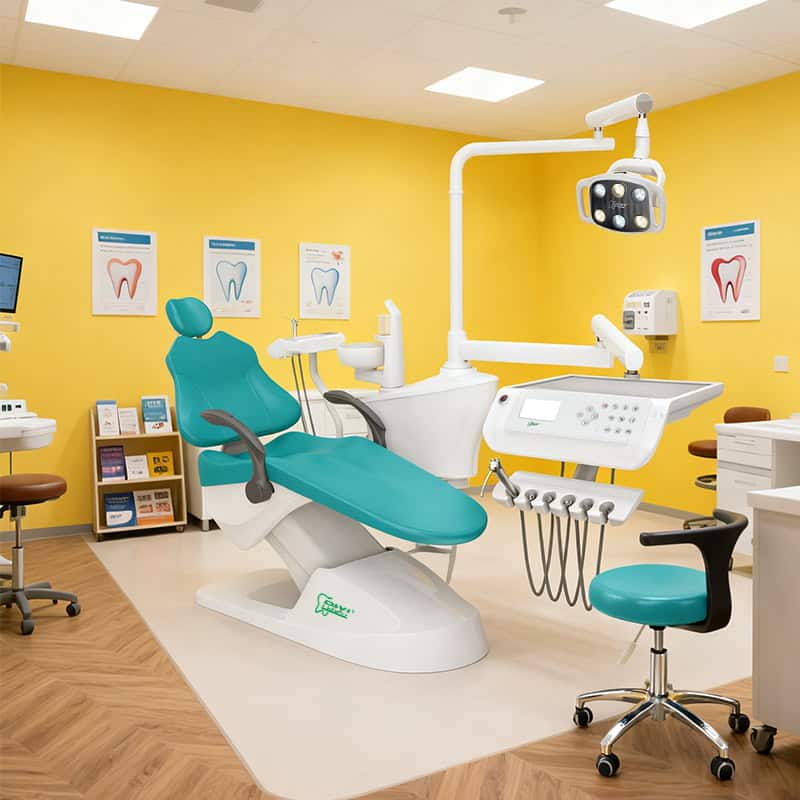
Instrument access is part of the ergonomic fit. Load the console, move it through the expected working zone and note any pulling, drift or collision. Have the assistant repeat instrument transfer from their seat. Test whether the system can be parked for patient entry and room cleaning.
Position the operating light from several chair angles. Confirm that the handles, arm range and control method match the quotation and do not conflict with the delivery assembly. The dental chair light compatibility checklist covers mounting, power and control questions in more detail.
5. Evaluate patient access and support
Use an appropriate simulated workflow to check entry, exit, armrest movement and headrest adjustment. The aim is not to make a medical claim; it is to identify whether staff can position the chair as intended and whether the selected configuration creates avoidable obstacles. Document any limitation that may require a different accessory or room arrangement.
Use a scoring sheet that preserves context
| Test area | Record | Example acceptance evidence |
|---|---|---|
| Operator approach | Working positions and chair height | Tester can reach the field without chair components blocking the planned position |
| Assistant access | Seat location and transfer path | Assistant can reach approved holders and suction positions without equipment conflict |
| Headrest and backrest | Adjustment range used | Components hold the selected position and match the quoted configuration |
| Controls | Control point and command tested | Commands respond consistently and labels or functions are understood |
| Delivery and light | Movement and parking positions | Arms reach the working zone without collision or unwanted drift |
| Room clearance | Closest obstruction and measured clearance | Movement envelope and service access remain available in the proposed layout |
A numeric score can help compare samples, but keep comments and photographs. A total score without context may hide one critical conflict. State whether each issue is corrected by adjustment, an option change, a room-layout change or a different model.
Procurement and service checks after the trial
- Request the final option list and photographs of the approved sample configuration.
- Identify adjustment points that users may operate and those reserved for service personnel.
- Obtain replaceable-part references for upholstery, headrest components, armrests, controls, holders and stool casters.
- Confirm cleaning-product compatibility for contacted surfaces.
- Record whether left/right conversion is supported and what parts or labor it requires.
- Repeat affected tests if production changes the component, firmware, control layout or mounting arrangement.
For a current integrated-chair example, buyers can review the R1 integrated dental chair unit, then request the exact specifications for the quoted revision.

Frequently asked questions
How many people should test a sample chair?
Include enough intended users to represent the clinic’s range of roles, handedness and working positions. A shared operatory should not be approved solely from one person’s trial.
Can dimensions replace a physical trial?
Drawings are essential for planning, but they do not fully show control feel, arm balance, hose behavior or user preference. Use both when the purchase scale justifies a sample.
What if testers disagree?
Keep individual score sheets, identify the specific conflict and decide whether adjustment, training, room assignment or a different configuration resolves it. Do not average away a critical access problem.
When should the test be repeated?
Repeat the affected portion when the model revision, option set, delivery arrangement, controls or room layout changes from the approved sample.
Scope note and next step
This checklist is procurement guidance, not medical or occupational-health advice. To plan a sample review, send the user profile, room drawing, preferred delivery arrangement and required options through the RIXI Medical contact page.
Need Dental Equipment Pricing or Configuration Details?
Contact RIXI Medical for model comparison, distributor pricing, packaging information, OEM/ODM requirements and after-sales support.
Request Product Information